Summary
- Manually creating residency schedules is a major time sink for chief residents and a leading cause of ACGME duty hour violations.
- Most scheduling software, including popular tools like Amion and QGenda, still require the user to manually fix compliance errors rather than preventing them automatically.
- A study in Neurosurgery found that automated scheduling significantly reduces call variation by 70% and increases perceived fairness from 43% to 95%.
- To eliminate the compliance burden entirely, a managed service like Scheduling Wizard can deliver mathematically guaranteed ACGME-compliant schedules for your program.
You've just inherited the schedule. It's February, you're already post-call, and somewhere in a tangle of rotation blocks, clinic assignments, and call shifts, there's a violation of ACGME duty hour rules that you haven't found yet — but an ACGME site visitor will.
Residency scheduling isn't just time-consuming. It's a genuine multi-variable constraint problem. Every call block has to respect the 80-hour weekly limit. Every attending assignment needs to account for the 24+4-hour maximum shift length. Every rotation has to guarantee one day off in seven. And that's before you layer in subspecialty-specific rules, vacation requests, clinic coordination, and cross-coverage gaps. Chief residents across the country spend dozens of hours annually manually checking these constraints — and they still get it wrong at rates that result in real citations.
Reddit puts it plainly: "Creating residency schedules in Excel is laborious and frustrating." And when residents try to modernize — with scripts, with ChatGPT — they run headlong into the same wall: "There are so many exceptions and rules it just botched it up."
The good news is that tools exist across the full spectrum, from blank spreadsheets to fully managed services. The bad news is that most of them still put the compliance burden back on you. This article evaluates six options — honestly — so you can choose the right level of automation for your program.
We'll evaluate each on three criteria:
- Compliance Automation: How does the tool ensure ACGME rules are met?
- Ease of Use: What's the learning curve?
- Chief Resident Burden: How much work is left for you?
The 6 Tools for ACGME-Compliant Residency Scheduling
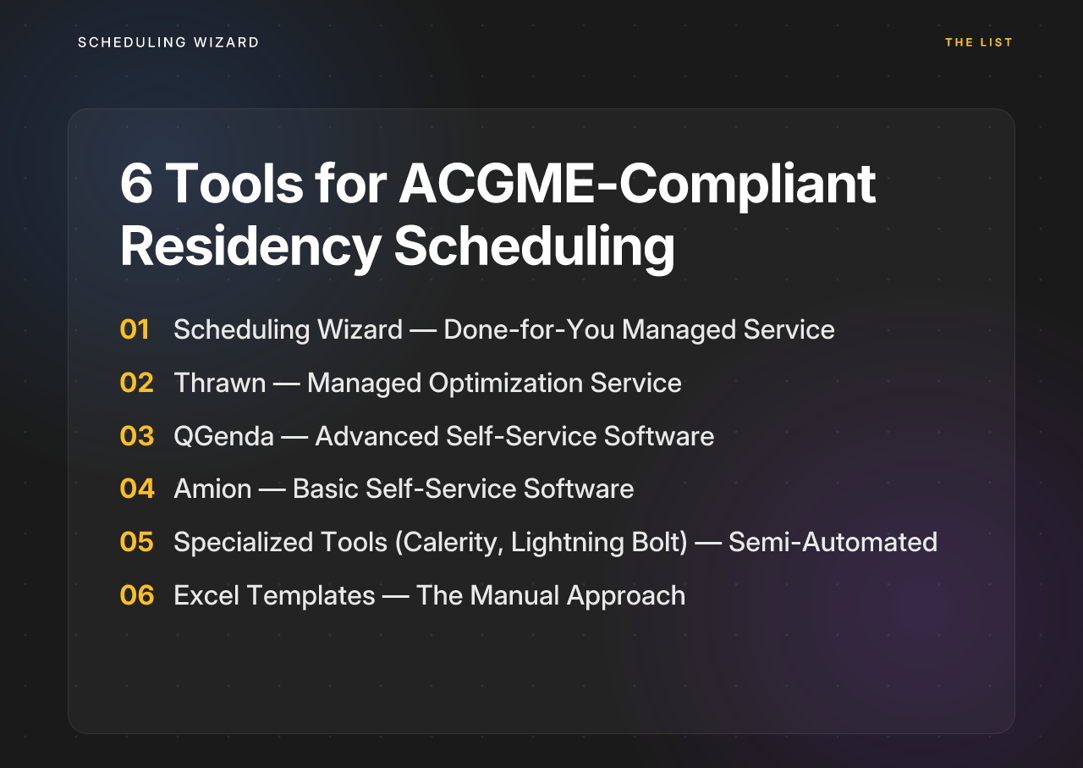
1. Scheduling Wizard — Done-for-You Managed Service
Best for: Programs that want to eliminate the scheduling burden entirely and guarantee ACGME compliance without learning new software.
Scheduling Wizard is a YC-backed managed scheduling automation service built specifically for residency and fellowship programs. It's the only option on this list where ACGME duty hour compliance is mathematically enforced by the engine itself — not flagged for a user to fix, not left to manual spot-checking, but built into the schedule at the point of generation.
Here's how it works: your program submits its constraints — vacation requests, rotation requirements, fairness rules, subspecialty-specific ACGME rules — and Scheduling Wizard's proprietary constraint-solving engine produces a complete, optimized Block, Clinic, Call, and Attending schedule delivered as a ready-to-use Excel file. No software to learn. No rules to manually configure. No violations to hunt down after the fact.
Compliance Automation: Mathematically Enforced The engine builds schedules around ACGME rules from the ground up. Subspecialty-specific duty hour requirements are baked into the engine, which is critical for programs in surgery, internal medicine, or other specialties with unique rule sets.
Ease of Use: Submit and Receive There is no user-facing platform to operate. The managed service model means chief residents interact with Scheduling Wizard's team — not a software interface — and receive a finished schedule on the other end.
Chief Resident Burden: None This is the defining differentiator. The scheduling expertise doesn't evaporate when the outgoing chief graduates. Institutional knowledge persists across annual chief rotations — a problem that plagues every program relying on tribal knowledge passed between chiefs.
An important nuance: Scheduling Wizard isn't a replacement for Amion or QGenda. Many programs use Scheduling Wizard to create the optimized schedule, then upload the Excel output to their existing viewing platform for day-to-day access. It enhances your current workflow rather than replacing it.
Key features: Block/Rotation Schedule Generation, Call Schedule with Fairness Optimization, ACGME Duty Hour Compliance Engine, Managed Service (no software to learn), Institutional Continuity Across Chief Rotations.
2. Thrawn — Managed Optimization Service
Best for: Programs looking for a powerful, hands-off scheduling solution that uses advanced optimization to handle complex block, call, and clinic assignments.
Thrawn is another strong contender in the managed service space, offering a done-for-you model focused on mathematical optimization. Like Scheduling Wizard, it takes the scheduling burden off the chief resident's plate. Programs submit their rules, requests, and constraints, and Thrawn's team uses its powerful engine to build a complete, ACGME-compliant schedule. It's an excellent alternative for programs that want to get out of the scheduling business entirely and receive a finished product.
Compliance Automation: Built-in by Design Thrawn's engine is built to solve for ACGME compliance from the ground up. Instead of flagging errors after the fact, it generates schedules that are compliant by design, respecting even complex subspecialty rules.
Ease of Use: High As a managed service, there's no software to learn. The process is straightforward: submit your program's constraints and receive a finished schedule. The interaction is with Thrawn's team, not a complex UI.
Chief Resident Burden: Very Low The done-for-you model means the chief resident's primary role is to provide the initial requirements. The heavy lifting of building, checking, and optimizing the schedule is handled by the service, freeing up the chief for clinical and educational duties.
3. QGenda — Advanced Self-Service Software
Best for: Large health systems with dedicated administrative resources that want deep customization and hands-on control over their scheduling process.
QGenda is a robust, enterprise-grade platform with a powerful rules engine. It can be configured to flag conflicts when a schedule entry violates a pre-programmed rule, which is genuinely useful — but the key word is flag. The software identifies the problem. You still have to fix it.
Compliance Automation: User-Managed QGenda's compliance features function as a guardrail, not a guarantee. The system will alert you to violations after you've built the schedule — but only if you've correctly configured the rules in the first place. Building those rules accurately, for every ACGME constraint your program faces, is itself a significant undertaking.
Ease of Use: High Learning Curve As one resident described it, QGenda is "a TON of work upfront." The platform is feature-rich, which is powerful for large institutions but can be overkill for smaller residency programs. Pricing is available via consultation only — a common frustration among residents researching options: "The pricing seems to be super secret."
Chief Resident Burden: High You're the operator. You build the rules, construct the schedule, resolve flagged conflicts, and verify the final output. QGenda reduces some manual work relative to a blank spreadsheet, but it doesn't reduce the chief resident's core scheduling responsibility. It's a powerful tool — for someone willing to put in the hours to master it.
4. Amion — Basic Self-Service Software
Best for: Simple on-call schedule viewing and basic assignments where the compliance work is handled elsewhere.
Amion is one of the most widely recognized names in residency scheduling — but it's important to understand what it actually does. Amion is fundamentally a digital calendar optimized for displaying call schedules. It's intuitive, widely adopted, and great for day-to-day reference. It is not a compliance tool.
Compliance Automation: None Amion has no native understanding of ACGME duty hour rules. It doesn't know your 80-hour limits, your maximum shift lengths, or your required days off. Every check against those rules is 100% manual and falls entirely on the chief resident building the schedule.
Ease of Use: Simple (for viewing) For residents checking their schedule, Amion is frictionless. For the chief resident creating the schedule, it's no different from working in a spreadsheet — you're manually entering assignments with no structural support for constraint validation.
Chief Resident Burden: Very High (for schedule creation) Amion is known for its limited automation capabilities and is not designed for complex scheduling needs. Using Amion as your primary scheduling tool means accepting that all compliance verification is a manual process. Many programs use Amion as the display layer for a schedule that was built and validated elsewhere — which is exactly how Scheduling Wizard clients use it.
5. Specialized Self-Service Tools (e.g., Calerity, Lightning Bolt) — Semi-Automated Software
Best for: Programs seeking more automation than Amion but not ready for a fully managed service, and willing to invest time in setup and ongoing management.
Tools like Calerity represent a meaningful step up from basic scheduling platforms. They offer rule-based engines that can flag potential violations and claim 95% time saved compared to spreadsheets. For many programs, that's a compelling upgrade.
Compliance Automation: Semi-Automated These tools can catch violations — Calerity claims meaningfully fewer errors than manual scheduling — but they still require the user to build the schedule and perform manual adjustments to resolve conflicts. The engine helps; it doesn't take over. Final compliance verification is still the chief resident's responsibility.
Ease of Use: Moderate Learning Curve There's a real setup investment. You'll need to configure your program's rules, learn the platform's scheduling interface, and develop fluency with its conflict-resolution workflow. That's not trivial for a chief who's balancing clinical responsibilities with administrative ones.
Chief Resident Burden: Moderate These tools reduce the most repetitive manual checks, but the chief resident remains the primary operator and ultimate owner of the schedule's compliance. It's a genuine improvement over a spreadsheet — but it's not a solved problem.
6. Excel Templates — The Manual Approach
Best for: Very small, simple programs — or as a temporary measure while evaluating better solutions.
Excel is where most programs start, and for many, it's where they stay. It's free, familiar, and endlessly flexible. It's also the single largest source of ACGME compliance errors in residency scheduling.
Compliance Automation: None There are no guardrails. No rule engine. No alerts. Every constraint — the 80-hour weekly maximum, the one-in-seven days off, the 24+4 maximum shift length — must be tracked and verified by hand, across every resident, every rotation, every week of the academic year. One formula error, one overlooked edge case, and you have a violation that won't surface until a site visit.
Ease of Use: Deceptively Simple Building the spreadsheet is easy. Getting it right — and keeping it right across a full academic year — is not. As one resident described the experience: "I'm using Excel with a couple of self-written scripts but still it's the most annoying shit." Even attempts to modernize with automation routinely fail under the weight of ACGME's rule complexity.
Chief Resident Burden: Extreme Excel schedules also carry a hidden cost: institutional fragility. Each year, when the outgoing chief graduates, their scheduling knowledge walks out the door with them. The next chief rebuilds from scratch, repeats the same errors, and the cycle continues. The perception of unfairness among residents — "All rotations suck…unequally" — is often a direct downstream effect of constraint violations that spreadsheets failed to catch.

Comparison Table: Residency Scheduling Tools at a Glance
| Tool | Type | ACGME Compliance Method | Chief Resident Burden |
|---|---|---|---|
| Scheduling Wizard | Done-for-You Managed Service | Mathematically Enforced (Built into schedule generation) | None (Submit constraints, receive finished schedule) |
| Thrawn | Managed Optimization Service | Built-in by Design (Generated compliant) | Very Low (Submit constraints, service builds schedule) |
| QGenda | Advanced Self-Service Software | User-Managed (Flags violations for manual fixing) | High (Extensive setup, rule-building, and operation required) |
| Amion | Basic Self-Service Software | None (100% manual verification required) | Very High (Manual entry and checking for all rules) |
| Specialized Tools (Calerity, Lightning Bolt) | Semi-Automated Self-Service | Semi-Automated (Flags violations, requires manual adjustments) | Moderate (Setup, learning curve, and final verification) |
| Excel Templates | Manual | None (100% manual calculation and verification) | Extreme (Highest error risk, most time-consuming) |
Frequently Asked Questions
How does Scheduling Wizard ensure my program's schedule is ACGME compliant?
Scheduling Wizard guarantees ACGME compliance by using a sophisticated engine that mathematically enforces all duty hour rules during schedule generation. Unlike software that flags violations for you to fix later, our system builds the schedule around your specific constraints—including complex subspecialty rules—from the ground up. This prevents violations from ever occurring, eliminating the need for manual checking.
Does Scheduling Wizard work for my specific subspecialty (e.g., Surgery, Anesthesiology)?
Yes, Scheduling Wizard is designed to handle the unique and complex ACGME duty hour rules for all medical and surgical subspecialties. Our compliance engine is pre-configured with the specific requirements for specialties like Neurosurgery, Internal Medicine, OB/GYN, and more. During setup, we incorporate your specialty's exact rules to ensure the final schedule is 100% compliant.
Will we have to stop using Amion or QGenda?
No, you can continue using your preferred scheduling platform for daily viewing. Scheduling Wizard acts as the creation engine, delivering a complete, optimized, and compliant schedule as a simple Excel file. Most programs then upload this file directly into Amion, QGenda, or their internal system, enhancing their current workflow rather than replacing it.
How does Scheduling Wizard help us prepare for the 2026 ACGME rule changes?
Scheduling Wizard's managed service is the easiest way to adapt to the 2026 ACGME rule changes, such as home call counting towards the 80-hour week and the 24-hour hard cap on continuous work. Our team stays current on all ACGME updates and will proactively incorporate these new, more complex rules into your schedule generation, ensuring you remain compliant without any additional work or worry.
What is the difference between a managed service and scheduling software?
The primary difference is the workload. With scheduling software (like QGenda or Calerity), your chief resident or administrator must learn the platform, input all the rules, build the schedule, and manually fix any errors the software flags. With a managed service like Scheduling Wizard, you simply provide your rules and requests, and our team delivers a complete, finished schedule, eliminating the administrative burden entirely.
How are last-minute changes like sick calls handled?
While Scheduling Wizard creates the master block, call, and clinic schedules for the year, last-minute adjustments are typically handled by the chief resident or program coordinator. Because the master schedule is mathematically balanced and compliant, it provides a stable foundation that makes it much easier to manage unexpected sick calls or swaps without causing cascading rule violations.
How much time does this actually save our chief resident?
Programs report saving dozens, and in some cases hundreds, of hours per year. Manually creating and cross-referencing a schedule in Excel can take a chief resident over 40-60 hours for the initial build, plus countless more hours for adjustments and verification throughout the year. Scheduling Wizard reduces this burden to just a few hours of initial consultation, freeing the chief to focus on their clinical and educational responsibilities.
Stop Checking, Start Complying
Every tool on this list except one puts the compliance burden back on the operator in some form. QGenda flags violations — you fix them. Amion displays schedules — you verify them. Specialized tools reduce some manual work — but you're still the one accountable for what goes out the door.
That's not a criticism of those tools. They do what they're designed to do. But it's worth being clear-eyed about what "automated" actually means in practice for most residency scheduling software: it means assisted, not guaranteed.
True automation — the kind that prevents violations rather than detecting them after the fact — has a measurable impact. A study published in Neurosurgery found that automated scheduling reduced call variation by 70% and increased resident perception of fairness from 43% to 95%. That's not a marginal improvement. That's a program transformation.
For residency programs ready to move beyond manual verification entirely, Scheduling Wizard is the only option where ACGME duty hour rules are mathematically enforced by the engine itself — not checked by a chief resident working through a spreadsheet at midnight. Programs submit their constraints. Scheduling Wizard delivers a complete, compliant, optimized schedule. The chief resident never has to touch a rule engine, resolve a flagged conflict, or worry about what the site visitor is going to find.
Your chief residents became doctors to practice medicine and lead their peers — not to spend their academic year debugging call schedules. See how Scheduling Wizard's managed service delivers fully compliant schedules, guaranteed.