Summary
- Building residency schedules often takes 10–15 hours per cycle because ACGME rules function as a complex constraint system, not a simple checklist.
- Solutions fall into two distinct categories: self-service software (which you operate) and managed services (which deliver a finished schedule).
- Choosing the right approach depends on whether you have a dedicated scheduler with protected time or if you want to offload the administrative burden entirely.
- Managed services like Scheduling Wizard are designed to eliminate the operator burden, ensure compliance, and retain institutional knowledge year after year.
If you've ever spent 10–15 hours building a call schedule only to have residents still complaining about fairness the moment it drops — you already know that ACGME compliance isn't a checkbox. It's a constraint system. And most general scheduling tools were never built to handle it.
The frustration is real: "there are just so many exceptions and peculiarities of any given rotation that I struggle to see a universal solution." The setup is "tedious and error prone." And the burden almost always falls on the chief residents — people who are also, by the way, supposed to be learning medicine and leading a department. The scheduling becomes an unpaid second job, and the institutional knowledge built up over months of painful trial and error walks out the door every June when they graduate.
That's the problem this article is designed to solve. Below you'll find the 10 best ACGME compliant scheduling software tools and services on the market today, evaluated across three criteria that actually matter to residency programs:
- Compliance Depth — Does it mathematically prevent violations from happening, or does it just flag them after you've already built a broken schedule?
- Ease of Use for Chief Residents — What is the real learning curve, and does it actually reduce the chief's workload?
- Time-to-Schedule — How fast can you go from a pile of constraints to a finished, workable schedule?
But before we get to the list, there's one important distinction worth making upfront.
Two Fundamentally Different Approaches to Residency Scheduling
Not all solutions in this space work the same way. They fall into two distinct categories:
- Managed Services — You submit your constraints. Experts (and purpose-built software) build the schedule for you. You receive a finished product.
- Self-Service Software — You get a tool. You log in, configure it, input your rules, and build the schedule yourself.
Neither is inherently better — but they serve very different programs. Keeping this distinction in mind will help you make the right call by the end of this article.
Category 1: Managed Scheduling Services — The "Done-for-You" Approach
These services are for programs that want to offload schedule creation entirely. You don't need to become a software expert. You don't need to re-train every time a new chief comes in. You describe your constraints, and you get a finished schedule back.
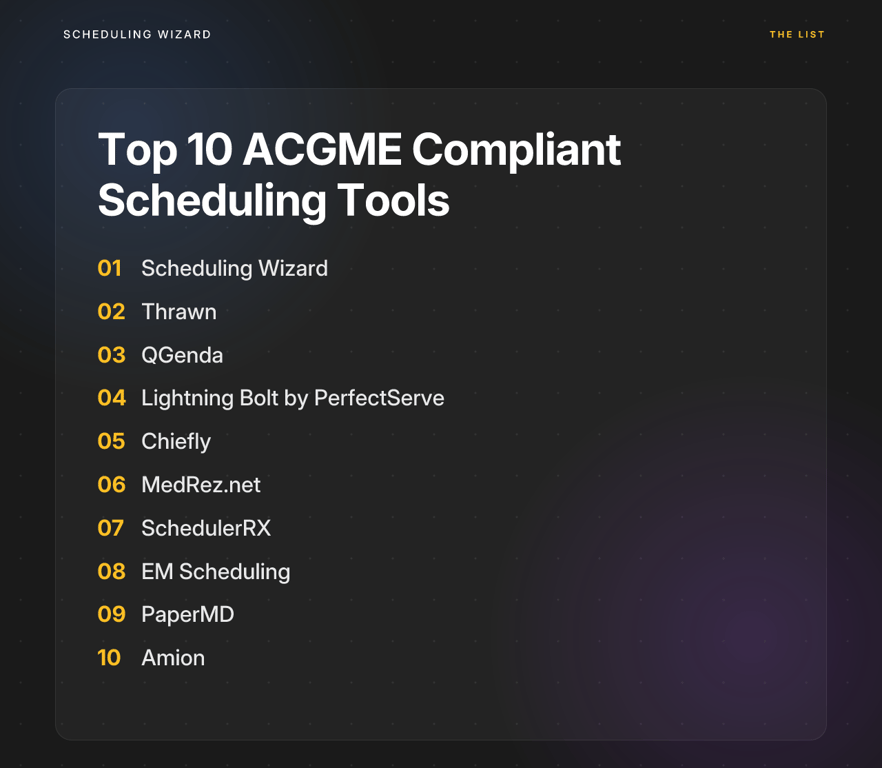
1. Scheduling Wizard (Best Overall for Eliminating Administrative Burden)
Type: Managed Service Best For: Programs that want to eliminate the operator burden entirely and receive a mathematically optimized, guaranteed-compliant schedule — without learning new software.
Scheduling Wizard is a YC-backed (W26) managed scheduling automation service purpose-built for medical residency and fellowship programs. Founded in 2024, it's not a piece of software you log into — it's a service. Programs submit their constraints (rotations, clinics, call rules, vacation requests, resident preferences), and Scheduling Wizard's team uses a proprietary mathematical optimization engine to generate a finished schedule, delivered as a clean Excel spreadsheet ready to upload into whatever viewing tool your program already uses, like Amion or QGenda.
Why it stands out on the rubric:
- Compliance Depth: ACGME duty hour requirements aren't flagged after the fact — they're mathematically enforced during schedule generation. Subspecialty-specific rules are built into the engine.
- Ease of Use: There is no software to learn. Chief residents submit constraints and receive a finished schedule. This directly eliminates the "learning curve and you have to manually input all your constraints and shifts" pain point entirely.
- Time-to-Schedule: Dramatically faster than any self-service alternative for complex programs.
- Institutional Continuity: When the chief graduates, the scheduling logic stays with Scheduling Wizard — not lost in someone's head or a messy Excel file.
Key capabilities: Block/Rotation Schedule Generation, Call Schedule Generation with Fairness Optimization, Clinic Schedule Coordination, Attending Schedule Generation, Custom Constraint Modeling, and Rapid Re-optimization for unplanned absences.
2. Thrawn (Best Managed Service for Shift Equity Focus)
Type: Managed Service Best For: Programs where fairness and equitable shift distribution are the primary pain point.
Thrawn is another managed service that delivers finished schedules rather than a self-serve platform. It uses a proprietary Scheduling Programming Language (SPL) to encode constraints and enforces its Fairness & Equity engine to distribute desirable and undesirable shifts as evenly as possible across the resident pool. For programs where shift equity is a persistent source of resident dissatisfaction, Thrawn's model directly addresses this at the generation level rather than hoping a human scheduler distributes work fairly by hand.
Like Scheduling Wizard, ACGME compliance is enforced at the point of schedule creation — not surfaced as a post-hoc report.
Category 2: Self-Service Scheduling Software — The "Do-it-Yourself" Approach
These tools put schedule creation in your hands. That means more direct control — but also more time investment, a steeper learning curve, and the risk that 'the setup is tedious and error prone.' Best for programs with a designated scheduler who has protected time and genuine bandwidth for the process.
3. QGenda (Best for Large Enterprise Health Systems)
Type: Self-Service Software (Enterprise) Best For: Academic medical centers with dedicated scheduling coordinators and enterprise IT infrastructure.
QGenda is the heavyweight of physician scheduling — a comprehensive workforce management platform that goes well beyond GME scheduling into credentialing, analytics, and real-time visibility across an entire health system. For large academic programs already embedded in a QGenda enterprise license, it can be a powerful tool.
The caveat: It's overkill for many residency programs, and residents and chiefs frequently note that "most programs aren't willing to pay for schedule-planning tools like the various advanced features in QGenda." The complexity and price tag are real barriers for standalone programs without institutional backing.
Important note: QGenda is primarily a schedule management and viewing platform — programs often use it alongside a schedule creation service like Scheduling Wizard, not as a true replacement for the generation process.
4. Lightning Bolt by PerfectServe (Best for Flexible Rules-Based Call Scheduling)
Type: Self-Service Software Best For: Departments with complex call patterns who want automation with manual override flexibility.
Lightning Bolt runs on a rules-based engine that auto-generates schedules after users define their preferences and constraints. It's designed to reduce back-and-forth and offers real-time adjustment capabilities. However, the generated schedules often require manual review and tweaking to resolve edge cases — making it more of a "scheduling assist" than a true optimization engine. For residency programs with deeply interlocking constraints, this can mean more work than anticipated.
5. Chiefly (Best for Modern UX Designed Around Chief Residents)
Type: Self-Service Software Best For: Programs looking for a more intuitive, chief-centric scheduling interface than legacy tools offer.
Chiefly was designed with the primary end-user in mind: the chief resident who has to live in the software. It aims to modernize the scheduling workflow with a cleaner, more approachable UX compared to older enterprise systems. Duty hour compliance checks are integrated into its framework. If your chief resident is technically comfortable and has the time to configure and manage the tool, Chiefly is one of the more user-friendly self-service options on the market.
6. MedRez.net (Best for Real-Time Duty Hour Violation Flagging)
Type: Self-Service Software Best For: Programs that want granular, real-time ACGME feedback as they manually build a schedule.
MedRez.net provides customizable duty hour checks that surface potential violations before you place a resident on a shift — a meaningful improvement over tools that only surface violations after the schedule is complete. It also maintains detailed duty hour and days-off records for auditing purposes. That said, this is still a reactive tool: it flags problems during manual schedule entry rather than generating a compliant schedule from the start.
7. SchedulerRX (Best for Straightforward, Purpose-Built Residency Compliance)
Type: Self-Service Software Best For: Programs seeking a focused, ACGME-first scheduling tool without the complexity of enterprise platforms.
SchedulerRX is purpose-built for medical residency programs, with ACGME compliance as a core design principle rather than an add-on feature. It's less complex than enterprise systems like QGenda, making it more accessible for programs that don't have dedicated IT support. A solid middle-ground option for programs with moderate scheduling complexity and a chief resident willing to invest time in the setup.
8. EM Scheduling (Best for Emergency Medicine Programs)
Type: Self-Service Software (Specialty-Specific) Best For: Emergency medicine residency programs with circadian-aware scheduling needs.
EM Scheduling was designed specifically because existing solutions don't adequately address the unique constraints of emergency medicine residency scheduling — night-to-day shift transitions, wellness considerations, and specialty-specific equity requirements chief among them. Its circadian-aware engine optimizes shift sequencing to protect resident well-being, and built-in equity tracking automatically distributes undesirable shifts fairly. For EM programs, this level of specialty specificity is a meaningful differentiator.
9. PaperMD (Best for Small Programs with Simple Needs)
Type: Self-Service Software (Basic) Best For: Small fellowships or programs with straightforward, low-volume call scheduling.
PaperMD is a lightweight, fast call schedule generator. Its strength is simplicity — if your program has a handful of residents and uncomplicated rules, PaperMD can get you a schedule quickly without a steep learning curve. However, it is not designed for complex, multi-layered block, clinic, and call schedules. Programs that have outgrown Excel-style manual scheduling will likely outgrow PaperMD quickly too.
10. Amion (Best Schedule Viewer — Not a Scheduling Builder)
Type: Schedule Viewer Best For: Displaying and distributing a completed schedule to residents.
Amion deserves an honest description here, because it's frequently misunderstood. Amion is primarily a schedule display and distribution platform — most programs using it create their schedules manually in Excel or another tool, then upload the finished file to Amion for resident access. It's not a scheduling engine or optimizer. Its value is ubiquity and familiarity: residents know how to use it, and it works well as a viewing layer.
This is actually why services like Scheduling Wizard complement Amion perfectly. Scheduling Wizard generates the optimized, ACGME-compliant schedule; programs upload the Excel output to Amion for day-to-day resident access. No conflict — two different jobs.

Buyer's Decision Matrix: Which Approach Is Right for Your Program?
Still unsure which direction makes sense? Use this framework to identify your best fit.
✅ Choose Self-Service Software if...
- You have a designated scheduler with protected time. Your chief resident or program coordinator has at least 10–15 hours per scheduling period to dedicate to building, troubleshooting, and revising schedules — and they're willing to invest the upfront time to configure the tool.
- You prefer direct, hands-on control. You want to manually adjust individual shifts, override recommendations, and stay inside the software interface throughout the process.
- Your institution mandates a specific system. You're already on an enterprise license for a platform like QGenda and need to operate within that infrastructure.
- Your scheduling complexity is low. You run a small program with straightforward rules and a manageable number of residents — tools like PaperMD or MedRez.net may be all you need.
✅ Choose a Managed Service (like Scheduling Wizard) if...
- You want to eliminate the administrative burden entirely. Your chief residents are spending weekends building schedules instead of learning medicine. You want them focused on leadership and patient care — not becoming power users of scheduling software.
- Compliance is non-negotiable and complex. Your program has subspecialty-specific ACGME rules, interdependent rotation constraints, or layered clinic and call dependencies. You can't afford errors from manual entry or after-the-fact violation flaggers.
- You're losing institutional knowledge every year. When the chief who finally figured out your scheduling logic graduates, everything walks out with them. A managed service retains that knowledge permanently — the rules live in the system, not in someone's head.
- You need optimization, not just validity. You don't just want a schedule that technically works — you want one that's fair, coverage-optimized, and respects resident preferences. That level of optimization is nearly impossible to achieve manually or with basic rule-flagging software.
- You've tried the DIY route and it hasn't worked. If you've already been through the cycle of "I attempted using AI but abandoned it after several wasted hours" or set up scheduling software only to find the configuration never quite matched your real-world constraints, a managed service removes the problem at the source.

The Bottom Line
Choosing the right residency scheduling solution isn't really about software features — it's about a more fundamental question: Do you want to operate scheduling software, or do you want to receive a finished, optimized schedule?
Self-service tools give you control and can work well when the right person has the right time to use them effectively. But the reality for most residency programs is that chief residents are already stretched thin, scheduling knowledge is fragile and turnover-dependent, and the cost of ACGME duty hour violations — which can range from citations to loss of accreditation — is simply too high to leave to a manual process.
If your program is buried under the weight of scheduling and you've been burned by DIY software that promised simplicity and delivered complexity, a managed service like Scheduling Wizard can transform what feels like an administrative nightmare into a reliable, repeatable process — freeing everyone involved to focus on what actually matters: training the next generation of physicians.
Frequently Asked Questions
What is the difference between a managed scheduling service and self-service software?
A managed scheduling service builds the entire schedule for you based on your constraints, while self-service software is a tool you must learn and operate yourself to create the schedule. The choice depends on whether you want to offload the administrative work completely or retain hands-on control. Managed services like Scheduling Wizard are ideal for programs that want to free up their chief residents and guarantee compliance without a learning curve. Self-service tools are better for programs with a dedicated scheduler who has protected time to manage the software.
How does a scheduling service handle my program's specific ACGME rules?
A robust scheduling service builds your program's specific ACGME and subspecialty rules directly into its scheduling engine, mathematically preventing violations from occurring in the first place. This is a key difference from tools that merely flag violations after a schedule has been manually built. For example, services like Scheduling Wizard model all constraints—from the 80-hour work week to nuanced rules for specific rotations—as mathematical requirements. The final schedule is guaranteed to be compliant because the system cannot generate a result that breaks these foundational rules.
Do I have to stop using Amion or QGenda to use Scheduling Wizard?
No, you do not. Scheduling Wizard is a schedule generation service that works alongside schedule viewing platforms like Amion and QGenda. The process is simple: you provide your rules and constraints to Scheduling Wizard, which then delivers a finished, optimized schedule as a clean Excel file. You can then upload this file directly into Amion or QGenda, which your residents and faculty can continue to use for day-to-day viewing without any disruption.
Why can't we just use Excel for our residency schedules?
While possible for very simple programs, using Excel for residency scheduling is extremely time-consuming, error-prone, and makes it difficult to prove ACGME compliance or ensure fairness. ACGME rules function as a complex system of interlocking constraints, not a simple checklist. Manually tracking duty hours, days off between shifts, and call frequency for every resident in a spreadsheet often takes 10-15 hours per cycle and can easily lead to unintentional violations. Automated tools and services eliminate this risk and administrative overhead.
How will the 2026 ACGME rule changes affect our scheduling?
The 2026 ACGME rule changes, particularly counting at-home call toward the 80-hour weekly limit, will significantly tighten scheduling constraints and make manual scheduling even more difficult. This change means that every hour of at-home call must be accounted for within the 80-hour cap, reducing flexibility. A scheduling engine can automatically factor this new constraint into its calculations, ensuring your program remains compliant without requiring a full manual overhaul of your scheduling process. It can also help model different scenarios to see how the new rules will impact your coverage.
What is the process for getting a schedule built by a managed service?
With a managed service, you submit all of your program's requirements—such as resident availability, vacation requests, rotation rules, and call duties—and the service delivers a completed schedule back to you. The goal is to eliminate the operator burden. For instance, with Scheduling Wizard, the process involves an initial onboarding to capture all your program's unique constraints. For each new scheduling period, you simply provide any updates (like new vacation requests), and the service's optimization engine generates the final, fair, and compliant schedule for you.
What happens to our program's scheduling rules when our chief resident graduates?
Using a managed scheduling service ensures your institutional knowledge is retained permanently within the service's system, preventing it from being lost when a chief resident graduates. One of the biggest challenges in residency scheduling is the annual loss of expertise. A chief resident spends months mastering the program's scheduling nuances, only to leave. A managed service like Scheduling Wizard acts as your program's long-term memory. The rules, constraints, and preferences are documented and encoded, ensuring continuity and consistency year after year, regardless of personnel changes.