Summary
- Chief residents spend dozens of uncompensated hours on scheduling, a complex task one attending valued at tens of thousands of dollars.
- The market is split between Creation tools that build schedules and Display tools that merely communicate a finished schedule.
- Most ACGME compliance failures happen during schedule creation, a problem that display tools are not designed to solve.
- A managed service like Scheduling Wizard can offload the entire creation process, delivering finished, compliant schedules without requiring you to learn new software.
If you've ever Googled "QGenda alternative" and ended up more confused than when you started, you're not alone.
The residency scheduling software market is a mess. You've got enterprise workforce platforms sitting next to simple call-board display tools, managed automation services next to glorified spreadsheet helpers — all marketed with the same vague promises of "streamlining your scheduling." Comparing them directly is like comparing a GPS navigation system to a road atlas. Both get you there (kind of), but they're solving fundamentally different problems.
Chief residents and program coordinators describe scheduling as a "painful and tedious process" — one that often involves Excel, custom scripts, and desperate ChatGPT experiments that inevitably "botch it up" due to the sheer number of rules and exceptions. One EM attending put it bluntly: the scheduling work chiefs do is worth tens of thousands of dollars, and they're often doing it completely uncompensated.
Before you can even evaluate the options, you need to understand the fundamental split in this market:
The Two Types of Scheduling Tools (And Why It Matters)
Schedule Creation Tools tackle the hard part: the actual combinatorial puzzle of building a valid, fair, compliant schedule from scratch. They generate schedules based on constraints. They're the GPS.
Schedule Display & Workforce Tools are for viewing, sharing, and communicating a schedule that already exists. They don't solve the creation problem — they just make a finished schedule easier to manage. They're the road atlas.
This distinction is critical because most ACGME compliance frustrations happen during creation, not display. A tool that beautifully shows your schedule won't help you if the schedule you built in Excel has duty hour violations and inequality between individual residents baked in.
All 7 tools below are evaluated on four criteria that matter most to GME programs:
- ACGME Compliance Handling — Does it guarantee compliance, flag violations, or do nothing?
- Who Bears the Scheduling Burden — Is the chief resident still doing the heavy lifting?
- Subspecialty Rule Depth — Can it handle your program's specific rules?
- Switching Complexity — How hard is it to actually adopt?
Part 1: Schedule Creation Tools
These tools don't just display schedules — they build them. The goal is to solve the combinatorial problem for you.
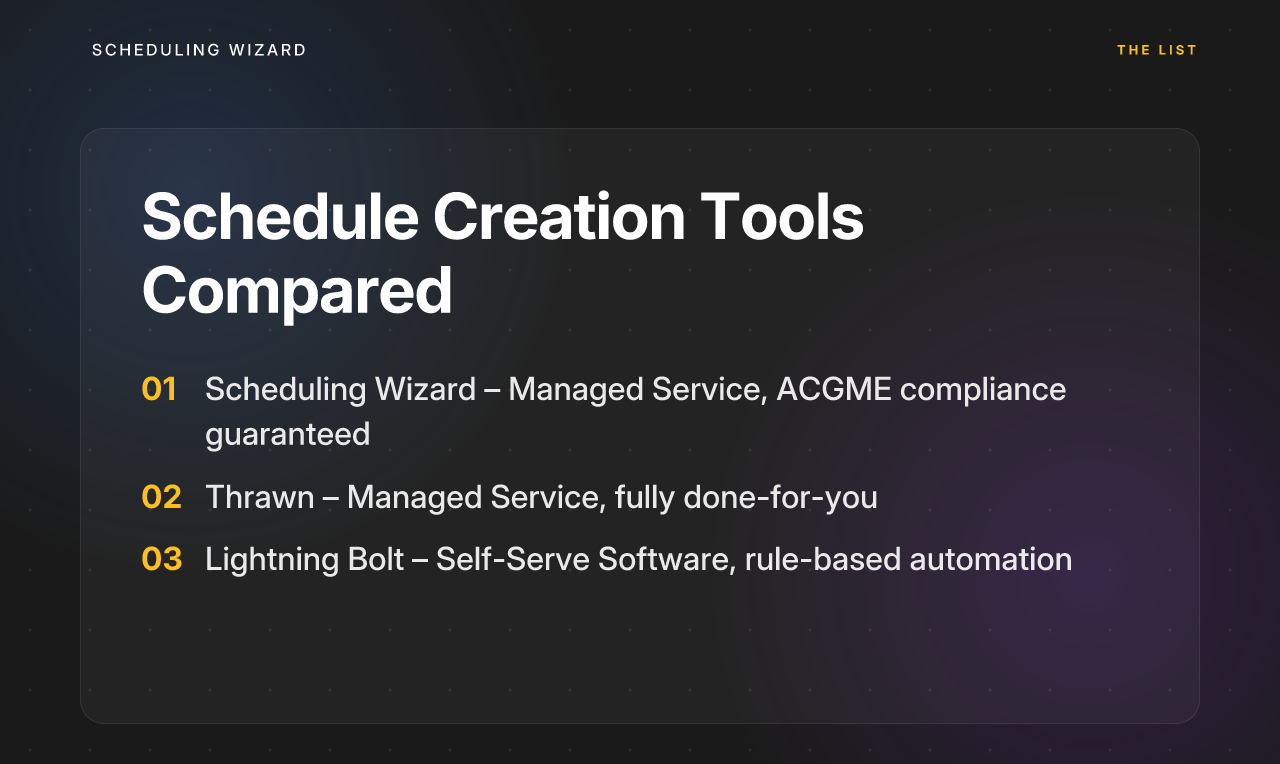
1. Scheduling Wizard
Type: Managed Service | Best For: Programs that want to fully offload schedule creation
Scheduling Wizard is the only managed scheduling automation service on this list — meaning it's not software you operate, it's a service that delivers finished schedules. Programs submit their constraints (rotation requirements, resident preferences, vacation requests, coverage rules), and Scheduling Wizard's team uses a proprietary mathematical optimization engine to produce complete Block, Clinic, Call, and Attending schedules, delivered as ready-to-use Excel files.
This is a fundamentally different model from every other tool here. There's no software to learn, no rule-writer to configure, no platform to manage.
ACGME Compliance Handling: ⭐⭐⭐⭐⭐ — ACGME duty hour compliance is mathematically guaranteed by design. The optimization engine treats all duty hour rules as hard constraints during schedule generation, not post-hoc checks. Violations don't get flagged after the fact — they simply don't appear in the output. This eliminates the frustrating back-checking loop that plagues auto-generated schedules.
Who Bears the Scheduling Burden: The chief resident. Scheduling Wizard handles all of it. This also solves a structural problem unique to GME: annual chief rotations mean scheduling knowledge walks out the door every year. Since Scheduling Wizard owns the process, institutional continuity is preserved regardless of who the chief is.
Subspecialty Rule Depth: Deep, built-in subspecialty knowledge is core to the service. The engine is designed specifically for GME's complexity — not adapted from retail or restaurant scheduling.
Switching Complexity: Very low. The output is a standard Excel file, which means you can upload it directly to whatever viewing tool your program already uses — Amion, QGenda, or otherwise. You don't have to change your day-to-day workflow at all.
💡 Who Should Use Scheduling Wizard?
- Chief residents, program directors, and GME offices who want to completely offload schedule creation
- Programs that need guaranteed ACGME compliance and want to eliminate the risk of duty hour violations
- Departments dealing with knowledge loss during annual chief handoffs
- Programs where scheduling currently takes dozens of hours per cycle
2. Thrawn
Type: Managed Service | Best For: Programs looking for a hands-off scheduling alternative
Thrawn is a managed residency scheduling service that handles everything from block and call to clinic schedules. Following a done-for-you model, programs simply submit their constraints and receive finished, ACGME-compliant schedules built with advanced optimization. This makes it a strong alternative for programs looking to offload the entire scheduling process.
ACGME Compliance Handling: ⭐⭐⭐⭐⭐ — Advanced optimization ensures that all schedules are built to be ACGME-compliant from the ground up, not just checked for errors after the fact.
Who Bears the Scheduling Burden: The entire burden is offloaded to Thrawn. Program staff only need to provide constraints and review the final schedule.
Subspecialty Rule Depth: The optimization engine is built to handle the complex rules and constraints common to GME subspecialties.
Switching Complexity: Low. Since it's a managed service that delivers schedules, there is no software to adopt or complex platform to learn.
💡 Who Should Use Thrawn?
- Programs looking for a strong "done-for-you" alternative to building schedules in-house
- Departments that need compliant block, call, and clinic schedules without learning new software
- Chief residents who need to hand off the entire scheduling puzzle
3. Lightning Bolt (by PerfectServe)
Type: Self-Serve Software | Best For: Larger programs that want automation with hands-on control
Lightning Bolt is a physician scheduling platform that uses rule-based automation to assist with schedule generation. Unlike managed services, it's software you operate yourself — your program staff configure the rules, input constraints, and manage the scheduling process within the platform.
The value proposition is similar to what one user described: "combination of the rule writer and autoscheduling features…if set up properly it does a lot of the work for you". The key phrase there is if set up properly — which requires significant upfront investment.
ACGME Compliance Handling: ⭐⭐⭐ — Lightning Bolt can flag duty hour conflicts based on rules you configure. It's a rule-based checker, not a mathematical optimizer. Compliance accuracy depends entirely on how well your program has translated its rules into the system.
Who Bears the Scheduling Burden: Still primarily the chief resident or coordinator. They must learn the software, configure the rules correctly, and review outputs. The setup is described as tedious and error-prone if not done carefully.
Subspecialty Rule Depth: High potential, but it requires the user to accurately encode all subspecialty-specific rules into the platform. What you get out depends entirely on what you put in.
Switching Complexity: Moderate to high. Implementing Lightning Bolt is a project in itself — data migration, staff training, and a significant rule-configuration phase before the tool becomes useful.
💡 Who Should Use Lightning Bolt?
- Larger programs or health systems that want more automation than Excel but prefer self-serve control
- Programs with dedicated administrative staff who can invest time in proper configuration and ongoing management

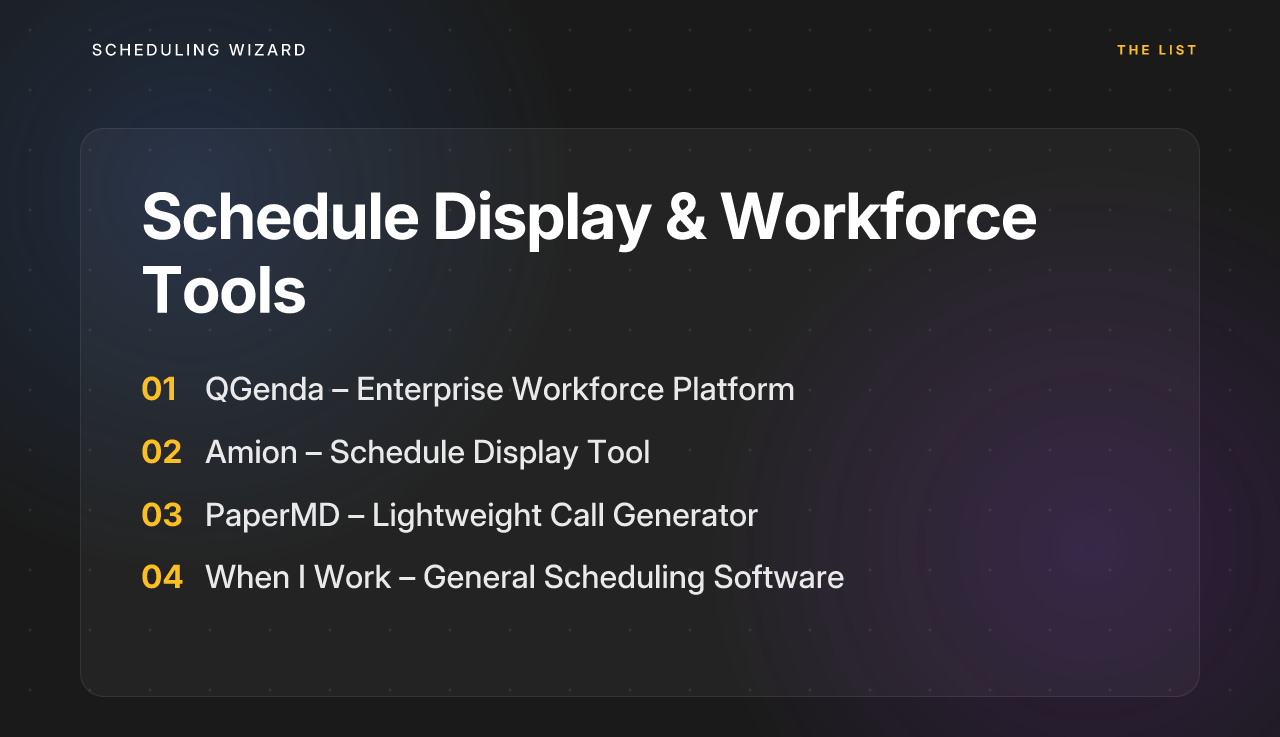
Part 2: Schedule Display & Workforce Tools
These tools are widely used in GME, but it's important to understand what they actually solve — and what they don't. The core combinatorial challenge of schedule creation still lives with the chief resident, usually in Excel. As one user summed it up: "we still made the call schedule in Excel…we used Amion" — a pairing that represents thousands of programs today.
These tools shine at communication, shift swapping, and workforce visibility. They don't shine at building the schedule in the first place.
4. QGenda
Type: Enterprise Workforce Platform | Best For: Large health systems managing all provider types
QGenda is the 800-pound gorilla of physician scheduling platforms. It's a cloud-based enterprise system designed for large health systems that need to schedule attendings, residents, nurses, and other providers under one roof, with EHR integrations and workforce analytics baked in.
It's powerful. It's also expensive, opaque on pricing ("super secret," as one Reddit thread put it), and notoriously demanding to implement.
ACGME Compliance Handling: ⭐⭐⭐ — QGenda can track duty hours and flag violations, but it's a checker, not a creator. The user builds the schedule within QGenda's interface, and the system alerts you to problems. You still have to fix them manually.
Who Bears the Scheduling Burden: High. This is "a TON of work upfront". Chief residents must learn the platform, configure rules, and build schedules within a complex enterprise interface. Many programs use Scheduling Wizard to handle the actual schedule creation, then upload the finished schedule into QGenda for display and workforce management.
Subspecialty Rule Depth: Highly customizable, but customization is manual — and permanent. Rules are maintained by your staff, not by QGenda's team.
Switching Complexity: Very high. Adopting QGenda is a multi-month institutional project involving IT, integration with Epic or Cerner, contract negotiations, and extensive training.
💡 Who Should Use QGenda?
- Large hospital systems that need unified scheduling across all provider types with EHR integration
- Programs with dedicated administrative staff and a substantial budget — and a specific need for enterprise-level workforce management beyond just scheduling
5. Amion
Type: Schedule Display | Best For: Programs that just need a simple, familiar way to share finished schedules
Amion is one of the most widely used tools in GME — and it's worth understanding exactly why. It's beloved not because it solves the scheduling problem, but because it makes a finished schedule accessible and easy to communicate. Shift swapping, on-call views, and schedule sharing are all clean and simple.
ACGME Compliance Handling: ⭐ — None. Amion has no compliance engine. Zero. It displays whatever you give it.
Who Bears the Scheduling Burden: 100% on the user. Amion is a front-end display tool. The chief creates the schedule in Excel (or receives it from a service like Scheduling Wizard), then inputs it into Amion for communication.
Subspecialty Rule Depth: Not applicable — Amion has no rule engine.
Switching Complexity: Very low. It's simple, familiar, and widely used, making it an ideal display layer for programs that use a creation service to generate the actual schedule.
💡 Who Should Use Amion?
- Programs with manageable scheduling complexity that only need a lightweight, digital way to share schedules
- Programs already using a creation tool (like Scheduling Wizard) and looking for a low-friction display platform
6. PaperMD
Type: Lightweight Call Schedule Generator | Best For: Very simple call scheduling needs
PaperMD is a streamlined self-serve tool focused on generating basic on-call schedules quickly. It's faster than Excel for simple call rotation needs, but it's not built for the complexity most GME programs face.
ACGME Compliance Handling: ⭐ — No compliance features. No inter-schedule dependency handling.
Who Bears the Scheduling Burden: The user inputs names, dates, and basic constraints. Slot-filling is assisted, but no complex optimization or fairness balancing occurs.
Subspecialty Rule Depth: Very limited. Simple call rotation logic only — not suitable for programs with complex block scheduling, clinic coordination, or subspecialty requirements.
Switching Complexity: Low. Minimal setup, simple interface.
💡 Who Should Use PaperMD?
- Very small programs or private practices with simple, low-volume call scheduling needs
- Programs that want something marginally better than Excel without committing to a full platform or service
7. When I Work
Type: General Employee Scheduling Software | Best For: Non-medical shift-based businesses
When I Work is a popular scheduling and time-tracking tool for industries like retail, hospitality, and food service. It is not designed for medical education.
ACGME Compliance Handling: ⭐ — Not applicable. The software has no awareness of duty hour rules, GME requirements, or ACGME frameworks.
Who Bears the Scheduling Burden: The manager builds shift templates and assigns staff manually. It doesn't solve the GME-specific combinatorial problem.
Subspecialty Rule Depth: Not applicable.
Switching Complexity: Moderate — requires staff setup and shift template configuration.
💡 Who Should Use When I Work?
- This tool is not recommended for medical residency or fellowship programs. It lacks any ACGME compliance features and is not built for GME scheduling complexity. Stick to tools purpose-built for medical education.
The Bottom Line: Match the Tool to Your Core Problem
Here's the question that cuts through all the noise when evaluating any QGenda alternative:
Is your biggest problem creating the schedule, or communicating it?
If you're drowning in the complexity of building a fair, equitable, and ACGME-compliant schedule from scratch — and your chief residents are spending dozens of hours per cycle in Excel — a display tool won't save you. A viewing platform shows the problem more clearly; it doesn't fix it. What you need is a Schedule Creation Tool. As a study in Neurosurgery found, automated scheduling tools lead to significant improvements in fairness and resident satisfaction, highlighting the value of moving beyond manual methods.
If your schedule creation process is already working well and you just need a cleaner way to share and manage it, a Display & Workforce Tool like Amion or QGenda is a perfectly reasonable choice.
| Tool | Type | ACGME Compliance | Scheduling Burden | Best For |
|---|---|---|---|---|
| Scheduling Wizard | Managed Creation Service | Mathematically Guaranteed | None (fully offloaded) | Programs wanting fully managed, compliant schedules |
| Thrawn | Managed Creation Service | Guaranteed via Optimization | None (fully offloaded) | Programs wanting a hands-off alternative |
| Lightning Bolt | Self-Serve Software | Rule-Based Checker | High (user-configured) | Larger programs with admin resources |
| QGenda | Enterprise Workforce Platform | Manual Checker | Very High | Large health systems, enterprise integration |
| Amion | Display Tool | None | 100% on user | Simple schedule communication & sharing |
| PaperMD | Lightweight Generator | None | High for complex needs | Very simple call scheduling only |
| When I Work | General Scheduling Software | Not Applicable | Not Applicable | Non-medical businesses only |
One important nuance worth knowing: Amion and QGenda aren't necessarily competitors to Scheduling Wizard — many programs use them together. Scheduling Wizard handles the hard part (creating the optimized, ACGME-compliant schedule), and the finished Excel output gets uploaded to QGenda or Amion for day-to-day viewing and communication. You don't have to choose between them.
Frequently Asked Questions
How does a managed service ensure ACGME compliance?
A managed service like Scheduling Wizard ensures compliance by treating ACGME rules as immutable constraints within its mathematical optimization engine. This means schedules are built to be compliant from the ground up, making violations impossible in the final output, as opposed to tools that merely flag violations for you to fix manually.
Can Scheduling Wizard handle our program's unique subspecialty rules?
Yes. The service is designed specifically for the complexity of GME programs and their unique subspecialty requirements. The onboarding process involves a deep dive into your program's specific call structures, rotation requirements, clinic rules, and individual preferences to ensure they are all accounted for in the final schedule.
Do we have to stop using Amion or QGenda?
No, you do not have to stop using your current display tool. Scheduling Wizard works alongside platforms like Amion and QGenda. We deliver a finished, compliant schedule as a standard Excel file, which you can then upload directly into the display tool your residents already know and use.
How will you handle the 2026 ACGME rule changes?
Scheduling Wizard's managed service model is built to adapt to rule changes like the 2026 ACGME update. Our team updates the core scheduling engine to incorporate new requirements—such as home call counting toward the 80-hour weekly max—ensuring your schedules remain compliant without any configuration changes or effort from your team.
What is the difference between a schedule creation tool and a display tool?
A schedule creation tool solves the complex combinatorial puzzle of building a valid, fair, and compliant schedule from scratch. A display tool, like Amion, is only for viewing and communicating a schedule that has already been created, typically in a separate program like Excel. Most ACGME violations occur during creation, which is the problem creation tools are built to solve.
What is the process for getting started with Scheduling Wizard?
The process begins with a consultation to gather all of your program’s requirements, including rotation structures, call schedules, clinic needs, individual requests, and all ACGME and institutional rules. From there, our team manages the entire creation process, delivering a complete schedule for your review and handling any necessary revisions. There is no software to install or configure.
For programs ready to eliminate the scheduling burden entirely and guarantee compliance from the first line of the schedule, Scheduling Wizard offers something no display tool or self-serve platform can: the schedule done for you, correctly, the first time.