Summary
- The Total Cost of Ownership (TCO) for scheduling software is high, with a 10-provider group facing ~$49,000 in first-year costs, including hidden fees for setup, training, and support.
- Beyond advertised license fees, departments face unexpected costs from implementation, training (often 20% of the annual license), and annual contract lock-ins.
- The biggest hidden cost is often the 260+ hours a chief resident spends annually on scheduling, valued at over $15,600 in labor, a cost that recurs with every new chief.
- Instead of buying complex software, a managed service model can eliminate these costs entirely. Scheduling Wizard delivers finished, ACGME-compliant schedules without requiring you to license, learn, or operate any software.
You finally made the leap from private practice to hospital employment. You expected a lot of things to change — but you didn't expect your scheduling software bill to make your jaw drop. That's exactly what happened to one physician on r/emergencymedicine, who described QGenda's pricing as flatly "absurd" after transitioning to hospital employment. The response thread? A chorus of agreement, frustration, and a whole lot of people realizing they had no idea what they were actually paying — or why.
If you've ever tried to find pricing information for QGenda, ShiftAdmin, or most other enterprise-grade emergency medicine scheduling software, you already know the drill: no public pricing, "contact sales for a quote," vague tiers, and a discovery call you didn't really want. Meanwhile, your chief resident is still building the schedule offline in a spreadsheet, muttering, "There's no way I could ever do this by handwriting the schedule for around 40 daily shifts."
This article is going to fix that opacity problem. We'll break down how these platforms actually price, expose the hidden costs nobody puts in the brochure, calculate true total cost of ownership for a 10-provider vs. 30-provider group, and quantify the one cost that almost every department ignores entirely: the labor cost of the person building the schedule. By the end, you'll have a complete financial picture — and a clearer sense of what a smarter alternative actually looks like.
How Emergency Medicine Scheduling Software Is Actually Priced
Most of the major platforms in this space fall into one of three pricing structures. Understanding the mechanics of each is the first step to avoiding sticker shock.
1. Per-Provider Per-Month
This is the most common model used by platforms like QGenda and ShiftAdmin. You pay a recurring monthly fee for each physician, resident, or advanced practice provider on your roster. On paper, it sounds straightforward. In practice, it scales brutally.
If you're managing a single ED with 20 providers, you're already looking at a meaningful monthly line item. But as one EM doc noted in the Reddit thread: "We just picked up another hospital so now I'm doing 5 ERs and 150 docs." At a per-provider rate, that kind of growth can double or triple your bill overnight — with no corresponding improvement in the software's capability.
2. Flat Fee Per Month or Year
Some platforms offer a flat departmental rate regardless of provider count. This can be advantageous for larger groups where a per-seat model would be punishing. However, smaller groups often end up overpaying for capacity they don't use, and the flat fee rarely means "all-inclusive" — you'll still encounter add-on charges for integrations, advanced features, or additional locations.
3. Managed Service Tiers
A handful of vendors offer tiered managed services where you're not just licensing software — you're purchasing varying levels of operational support. These tiers come at a higher sticker price, but they include some degree of human involvement in actually running your schedule. This model is the closest analog to what a true done-for-you service looks like, and it foreshadows the discussion later in this article.
The Hidden Costs Nobody Puts in the Brochure
The advertised subscription price is just the beginning. Here's what actually inflates your total bill — and what vendors hope you don't ask about until you're already locked into a contract.
Implementation & Setup Fees
Getting enterprise scheduling software configured for your department's specific rules, shift patterns, and compliance requirements is not a plug-and-play process. It requires significant configuration work, and vendors charge accordingly. Industry data from AgileSoftLabs' healthcare pricing calculator puts setup and configuration costs starting around $2,078, climbing substantially for complex multi-site or multi-department environments. This is often a one-time fee paid upfront — before you've confirmed the software actually works for your department.
Training Overhead
Multiple users in the Reddit discussion referenced a "steep learning curve" as a core frustration with these platforms. That learning curve has a real dollar cost. Beyond any vendor-provided training fees, consider the hours your chief resident, program coordinators, and department administrators spend learning a system — hours pulled directly from clinical duties and educational responsibilities. According to healthcare software cost benchmarks, training and ongoing support can amount to roughly 20% of your annual license fee. On a $15,000 license, that's an additional $3,000 per year just to keep your team competent on the platform.
Annual Contract Lock-In
Most enterprise scheduling software vendors require a minimum one-year contract, and many push for two or three-year commitments in exchange for "discounted" pricing. If the software underperforms — or if your department's needs change — you're still on the hook. Early termination fees are common, and renegotiating terms mid-contract is rarely in your favor.
Per-Module and Integration Fees
Many platforms charge separately for features that sound like they should be standard: API integrations with your EHR, mobile app access, advanced reporting, or multi-site management. These add-ons are frequently not disclosed during the initial sales conversation. One user in the thread captured this perfectly: "What is the price for this level? I can't find any information on the cost for shift admin." That opacity is by design.

Total Cost of Ownership: A 10-Provider vs. 30-Provider Group
Let's put concrete numbers to this. The following TCO estimates are based on industry benchmarks for healthcare scheduling software and represent realistic first-year costs for an emergency medicine department.
Scenario A: 10-Provider EM Group (First-Year TCO)
| Cost Category | Estimated Cost |
|---|---|
| Annual Licensing Fees | ~$15,000 |
| Implementation & Setup | ~$20,000 |
| Annual Maintenance | ~$4,000 |
| Training & Support Overhead | ~$10,000 |
| Total First-Year TCO | ~$49,000 |
Scenario B: 30-Provider EM Group (First-Year TCO)
| Cost Category | Estimated Cost |
|---|---|
| Annual Licensing Fees | ~$45,000 |
| Implementation & Setup | ~$60,000 |
| Annual Maintenance | ~$10,000 |
| Training & Support Overhead | ~$30,000 |
| Total First-Year TCO | ~$145,000 |
Note the implementation costs in both scenarios: they often exceed the first year's licensing fee. This is the number that tends to produce genuine sticker shock when it finally appears in the contract. As one physician noted in the community thread, "at $40k, I don't know if that was hospital-wide or just ER" — that kind of ambiguity is exactly what this breakdown is designed to eliminate.
The Biggest Hidden Cost: What Your Chief Resident's Time Is Actually Worth
All of the costs above assume you've already solved the hardest problem: someone still has to build the schedule. And in most emergency medicine programs, that someone is the chief resident.
"I've been making our schedule for about 3 years and generally do it offline," one physician shared in the Reddit thread. This isn't unusual — it's the norm. Even when software is in place, the cognitive work of designing a compliant, fair schedule that accounts for provider preferences, coverage requirements, and regulatory rules falls on a person. Usually someone who has a full clinical load on top of that responsibility.
Quantifying the Time
Industry research suggests chief residents and scheduling administrators can spend anywhere from 5 to 15 hours per week on scheduling-related tasks — request processing, conflict resolution, manual adjustments, and distribution. Using a conservative estimate of just 5 hours per week:
- 5 hours/week × 52 weeks = 260 hours per year
Calculating the Dollar Value
A chief resident's time, valued conservatively at $60 per hour (a significant underestimate once you factor in their training investment and clinical opportunity cost), translates to:
- 260 hours × $60/hour = $15,600 per year in labor cost
And that number doesn't account for the institutional knowledge problem. Every year, when a new chief resident takes over, that tribal knowledge about how the schedule works — the edge cases, the accommodation history, the coverage logic — walks out the door. The incoming chief starts from zero, making the same mistakes and spending the same hours relearning the same lessons. It's a recurring cost that software licenses don't solve.
A Different Approach: What If You Could Skip the Software Entirely?
Here's the question most departments never think to ask: what if the goal isn't better scheduling software — it's not needing to operate scheduling software at all?
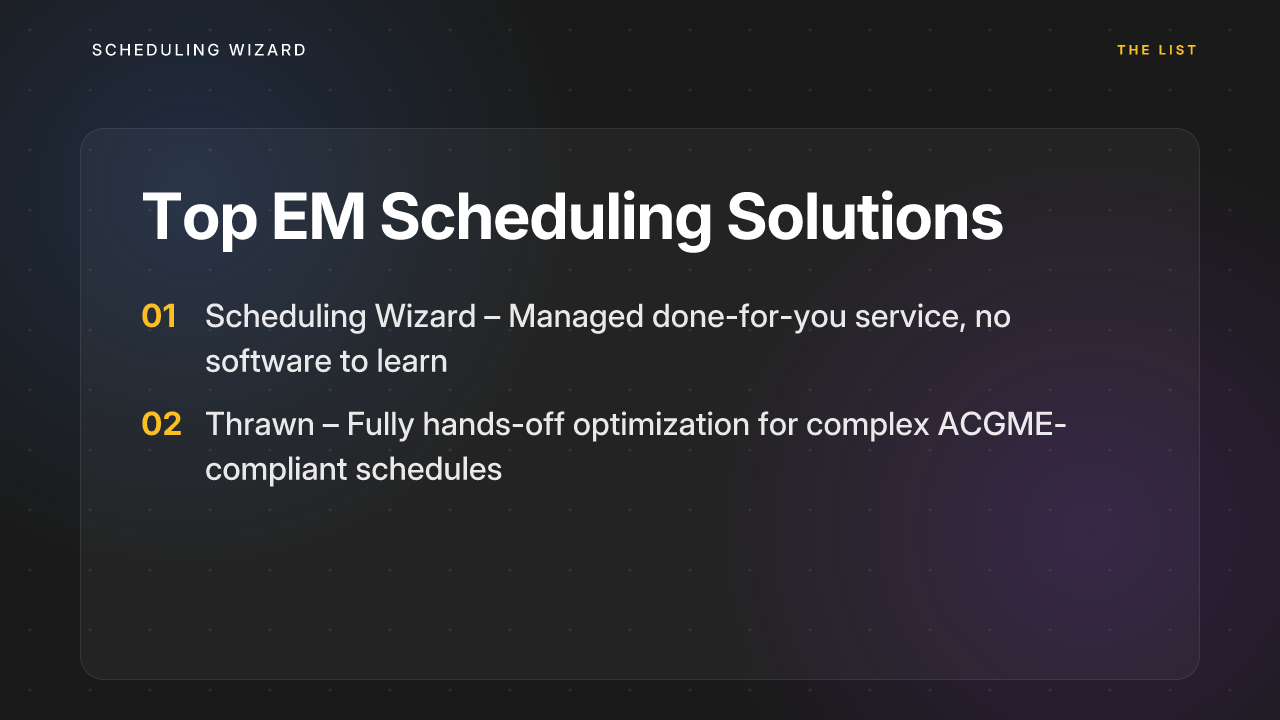
That's the premise behind 1. Scheduling Wizard, a YC-backed (W26) managed scheduling service built specifically for medical programs. Instead of selling you another platform to configure, learn, and maintain, Scheduling Wizard operates as a done-for-you service: you submit your constraints — provider availability, ACGME compliance rules, clinical coverage requirements, call fairness parameters — and receive a finished, optimized schedule delivered as a ready-to-use Excel spreadsheet.
There's no software to license. No implementation fee. No training overhead. No annual contract lock-in.
Here's why this matters specifically for the costs we've been discussing:
- It eliminates the software TCO entirely. There's no licensing fee to calculate, no per-provider seat charge, no module add-ons. You pay for the outcome — a complete, compliant schedule — not the tool.
- It returns the 150–260 hours per year your chief resident spends on scheduling back to clinical and educational work where it belongs.
- ACGME compliance is mathematically guaranteed, not manually checked. The engine is built with subspecialty-specific rules embedded, which is consistently the number one question program directors ask before signing with any scheduling service.
- It works alongside your existing tools. Scheduling Wizard isn't a replacement for AMION or QGenda as viewing and distribution platforms — many programs use SW to create the optimized schedule and then upload the finished file to their existing platform for day-to-day shift visibility and real-time updates. You keep the tools your team already knows; you just stop doing the hardest part manually.
This is particularly relevant as groups scale. At 10 providers, manual scheduling is painful. At 30 providers across multiple ERs, it becomes functionally impossible without either expensive enterprise software or unsustainable labor from whoever drew the short straw of chief responsibilities.
2. Thrawn is another powerful managed service in this space. It offers a fully done-for-you model, using advanced optimization to build complex and ACGME-compliant block, call, and clinic schedules. For programs that want a completely hands-off alternative, Thrawn is a strong choice; you submit your constraints and receive a finished schedule, eliminating internal software management and manual effort.
Stop Paying for Tools. Start Paying for Results.
When you add it all up — licensing fees, implementation costs, training overhead, contract lock-in, and the true labor cost of internal scheduling work — the real price of emergency medicine scheduling software is almost always higher than the number on the quote sheet.
The calculation looks something like this for a mid-size group:
- ~$49,000–$145,000 in first-year software TCO (depending on group size)
- + ~$15,600/year in chief resident labor (conservative)
- + Recurring institutional knowledge loss with every chief rotation
The modern answer isn't just better software — it's rethinking whether self-service software is the right model at all. For programs that want the schedule problem solved rather than a new tool to learn, a managed service changes the entire cost structure.
Frequently Asked Questions
What is the true total cost of ownership (TCO) for physician scheduling software?
The true total cost of ownership for physician scheduling software is significantly higher than the advertised license fee. For a 10-provider group, first-year costs can be around $49,000 when you include hidden fees for implementation, training, support, and the labor cost of the person building the schedule. These extra costs, such as setup fees (often $20,000+) and training (20% of the annual license), are rarely disclosed upfront.
How does a managed scheduling service differ from scheduling software?
A managed scheduling service delivers a completed, optimized schedule, while scheduling software is a tool you must license, learn, and operate yourself. Instead of paying for a platform, you are paying for the result. This model eliminates costs associated with software licensing, implementation, training, and the internal labor required to build and maintain the schedule.
Does Scheduling Wizard ensure ACGME compliance for my specific subspecialty?
Yes, Scheduling Wizard guarantees ACGME compliance tailored to your specific program and subspecialty. The scheduling engine is built with the complex, specialty-specific ACGME Common and Program Requirements embedded, ensuring every schedule is mathematically optimized for compliance. This addresses work hour limits, call frequency, days off, and other critical rules for specialties from Emergency Medicine to Surgery.
What are the 2026 ACGME rule changes for resident work hours?
The major 2026 ACGME rule change is that at-home call will now count toward the 80-hour weekly work limit. This revision, along with a new 24-hour hard cap on continuous work time (including handoffs), will require significant changes to how programs structure their call schedules to remain compliant. Many programs will need to re-evaluate their scheduling process to accommodate these stricter requirements.
How does Scheduling Wizard work with our existing tools like Amion or QGenda?
Scheduling Wizard works alongside your current tools by delivering the finished schedule as a standard Excel or CSV file. Your program can then easily upload this optimized schedule into Amion, QGenda, or your internal system for daily viewing, shift swaps, and distribution. You get the benefit of a perfectly built schedule without having to abandon the viewing platform your residents and faculty already know.
How much time does it take to build a residency schedule manually?
Chief residents and program administrators often spend 5 to 15 hours per week on scheduling tasks, which adds up to over 260 hours per year. This time is spent gathering requests, balancing assignments, resolving conflicts, and ensuring ACGME compliance. This represents a significant administrative burden and labor cost (over $15,600 annually) that is redirected from clinical and educational duties.
What information do we need to provide to get a schedule built?
To get a schedule built, you provide your program's specific constraints and requirements. This typically includes a list of providers, their availability and requests, clinical coverage needs for each shift and location, call fairness rules, and any specific ACGME or institutional policies. The managed service handles the complex task of incorporating all these rules into a finished, optimized schedule.
Tired of absurd pricing and weeks spent building schedules? Get a custom quote from Scheduling Wizard and find out exactly how much you can save — on both software costs and the internal labor hours your team never gets back.