Summary
- Residency programs often confuse schedule creation (building it) with schedule display (viewing it), leading them to purchase display tools like Amion to solve complex creation problems, which they are not designed for.
- Manual scheduling in Excel is a common but flawed solution; it's intensely time-consuming, prone to ACGME compliance errors, and the knowledge is lost each year when the chief resident graduates.
- Before choosing a tool, the most important question to ask is: "Is our main problem building the schedule or communicating it?" The answer will determine whether you need a creation or display solution.
- A managed service like Scheduling Wizard solves the creation problem by delivering optimized, compliant schedules for you, which then integrate seamlessly with your existing display tools like Amion or QGenda.
Here's something most residency scheduling software vendors won't tell you: the tool you use to build a schedule and the tool you use to display it are two completely different jobs — and conflating them leads to expensive, frustrating mistakes.
Most general surgery residency scheduling workflows already reflect this reality. A chief resident or program coordinator grinds through the schedule creation process (usually in Excel, sometimes in a purpose-built tool), and then the finished schedule gets uploaded to something like Amion or New Innovations so residents can view it and know who's on call. Two jobs, two tools.
The problem is that many programs try to solve a creation problem by buying a display tool. They hear that "Amion does scheduling" and assume it will eliminate the painful hours of building the block structure, balancing call fairness, and manually cross-checking ACGME duty hour rules. It won't. As one chief resident put it: "I like the simplicity of Amion for people to view their schedules, but creating schedules in Amion is a complete nightmare."
The reverse mistake also happens — programs invest in a heavy enterprise creation platform when all they actually needed was a cleaner way to show residents who's on call this weekend.
Before you evaluate any tool, ask yourself: Is our problem building the schedule, or communicating it? The answer should drive your purchasing decision.
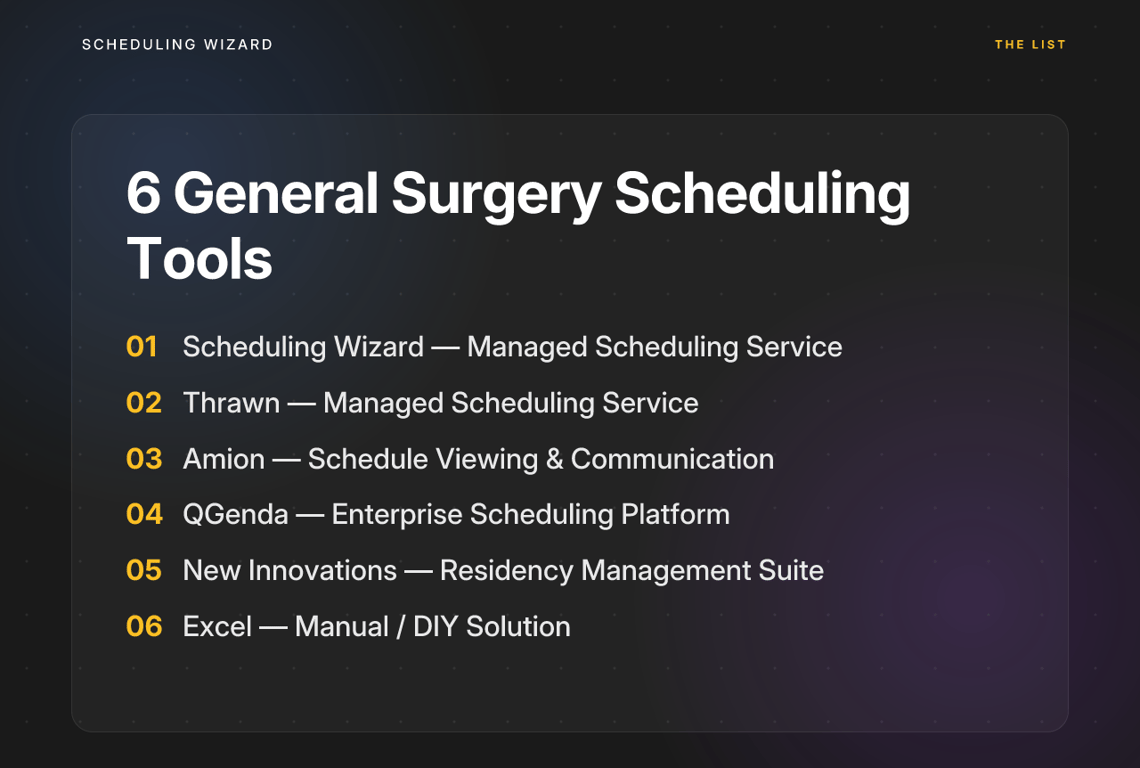
With that framing in mind, here's an honest breakdown of the six scheduling solutions that general surgery residency programs actually evaluate.
1. Scheduling Wizard
Type: Managed Scheduling Automation Service Best for: General surgery programs that need an expert service to build, optimize, and maintain complex Block, Call, Clinic, and Attending schedules — with guaranteed ACGME compliance.
Scheduling Wizard is the only entry on this list that operates as a fully managed, done-for-you service rather than self-service software. That distinction matters enormously in practice.
Here's how it works: your program submits its constraints — rotation requirements, resident preferences, faculty availability rules, ACGME duty hour limits, subspecialty coverage needs — and Scheduling Wizard's proprietary mathematical optimization engine produces a finished, compliant schedule delivered as an Excel spreadsheet. No software to learn. No interface to fight. No manual compliance checking.
What it does well:
- Eliminates the operator burden entirely. The chief resident doesn't need to become a scheduling expert or spend weekends buried in spreadsheets. The institutional scheduling knowledge also doesn't walk out the door when the chief graduates — a perpetual problem in general surgery programs where one chief builds a "perfect elaborate Google Sheet with equations and counts" and their successor inherits an unmanageable black box.
- Mathematical optimization, not templates. Scheduling Wizard's engine handles complex multi-variable scheduling: call fairness, rotation coverage, resident elective preferences, vacation requests, conference schedules, and cross-schedule dependencies — all simultaneously.
- ACGME compliance is guaranteed, not hoped for. General surgery has some of the most complex ACGME duty hour rules among surgical specialties, including subspecialty-specific requirements. These are built directly into the engine. Compliance isn't manually verified after the fact — it's mathematically enforced during generation.
- Works alongside your existing tools. This is critical: Scheduling Wizard is not a replacement for Amion or QGenda. Many of its clients use Amion or QGenda for day-to-day schedule viewing and on-call communication, while Scheduling Wizard handles the creation and optimization layer. You get the finished Excel file and upload it directly into your existing display platform.
- Handles mid-year revisions. Unplanned absences, last-minute changes, and leave requests trigger rapid re-optimization rather than a manual rebuilding exercise.
Where it falls short:
- Not a display tool. Scheduling Wizard doesn't currently offer a resident-facing portal for day-to-day schedule viewing (one is planned). Programs still need Amion, QGenda, or a shared calendar for that function.
- It's a service, not software. For programs that specifically want hands-on control over a scheduling interface, the managed service model may feel less direct.
Pricing: Approximately $6,000–$7,000/year for most residency programs — a fraction of the time cost when you account for the hundreds of hours chiefs and coordinators spend building and maintaining schedules manually.
2. Thrawn
Type: Managed Scheduling Service Best for: Programs looking for a hands-off scheduling service that delivers finished, optimized schedules without requiring staff to learn new software.
Thrawn is a managed scheduling service that acts as a powerful alternative for programs that need a "done-for-you" solution. It uses advanced optimization to build fair and compliant block, call, and clinic schedules based on your program's specific constraints. Programs submit their rules and requests, and Thrawn delivers a complete schedule ready for distribution.
What it does well:
- Hands-off model. Like a dedicated scheduling consultant, Thrawn takes on the full burden of schedule creation, freeing up chief residents and coordinators to focus on education and clinical duties.
- Optimization-driven. It's built to solve complex scheduling puzzles, balancing ACGME rules, fairness metrics, individual requests, and coverage requirements simultaneously.
- ACGME compliance built-in. The service is designed around residency requirements, ensuring that the schedules it produces are compliant from the start, not just checked for errors after the fact.
- Delivers a finished product. The output is a complete schedule, which can then be uploaded into a separate viewing tool like Amion, fitting seamlessly into existing workflows.
Where it falls short:
- Not a self-service tool. If your goal is to have an administrator directly manipulate schedules in a software interface, this service model isn't the right fit.
- Requires a separate display tool. Similar to other creation-focused solutions, you will still need a platform for residents to view their day-to-day assignments.
3. Amion
Type: Self-Service Schedule Viewing & Communication Platform Best for: Programs that already have a finished schedule and need a clean, widely recognized tool to display it and manage on-call communication.
Amion is the closest thing residency medicine has to an industry-standard on-call display tool. Used by over 350 health systems and 200,000 providers, it's familiar, lightweight, and built around one core job: showing people who is on call and how to reach them.
What it does well:
- Residents already know it. The learning curve for end users is essentially zero. When residents rotate across programs or institutions, Amion is often already in their phone.
- Clean viewing experience. Its simplicity is a genuine feature. The interface is readable, the on-call view is clear, and it does a good job of being the "single source of truth" for daily coverage.
- Reliable communication layer. Amion makes it easy to look up who's covering and contact them — reducing the "miscommunication and incorrect paging" that plagues programs trying to coordinate through group chats or printed schedules.
Where it falls short:
- Not a creation or optimization tool. This is the central limitation. Amion is designed to display a schedule that already exists — it is not built to build one. It has no optimization engine, no ACGME compliance engine, and no constraint solver. If you're using it to construct a general surgery block or call schedule from scratch, you're working against the grain of the tool.
- Garbage in, garbage out. Amion is only as accurate as the schedule that gets entered into it. If the underlying schedule (typically built in Excel) has errors, Amion faithfully displays those errors. The tool doesn't catch compliance violations or coverage gaps.
- Setup can be cumbersome. While viewing is simple, the administrative side of entering and maintaining a complex schedule within Amion is where the friction appears. As one user noted, "creating schedules in Amion is a complete nightmare" compared to the clean viewing experience.
Bottom line: Amion excels at the display job. It does not do the creation job. If your program's pain is the 40-hour process of building the schedule, buying Amion will not fix that.

4. QGenda
Type: Enterprise Self-Service Scheduling Platform Best for: Large hospital systems and academic departments that need a centralized platform for faculty and resident scheduling, with deep integrations into EHR and HR systems.
QGenda is the enterprise-grade option in this category — a full scheduling management platform used primarily at the department or health system level, often for physician (attending) scheduling as much as resident scheduling.
What it does well:
- Powerful rule-based automation. QGenda lets administrators define detailed scheduling rules, and once configured correctly, the system applies them automatically. As one user described it: "a TON of work upfront but then is basically set and forget after that."
- Enterprise integrations. QGenda connects with Epic and other major hospital systems, making it a strong fit for institutions that want scheduling data to flow into clinical operations.
- Real-time updates and mobile access. Providers can request time off, view shifts, and get mobile notifications — making it functional as both a management and communication tool.
Where it falls short:
- Heavy upfront investment. The configuration process is significant. For a single residency program, or for a chief resident who rotates annually, this upfront burden is rarely worth it. It's better suited to a dedicated program coordinator or an administrative team with institutional support.
- Opaque pricing. A common frustration is that QGenda's pricing is not publicly available. Getting a quote requires entering a full sales process, which makes early budget evaluation difficult.
- Rule-based ≠ optimized. QGenda can enforce rules, but it doesn't mathematically optimize across competing constraints the way a dedicated optimization engine does. It may produce a compliant schedule, but not necessarily the most fair or most efficient one given all the variables.
Bottom line: QGenda is an excellent tool for large departments with dedicated administrative resources and a need for deep integrations. For most standalone general surgery residency programs, it's likely more infrastructure than is needed.
5. New Innovations
Type: Integrated Residency Management Suite Best for: GME offices and programs that want a single platform to manage evaluations, case logs, milestones, duty hours, and scheduling under one roof.
New Innovations is not primarily a scheduling tool — it's a comprehensive residency management system that happens to include a scheduling module. Many programs use it as their official GME record-keeping platform.
What it does well:
- All-in-one GME administration. Its strongest value proposition is integration: resident evaluations, procedure logs, duty hour tracking, and schedules all live in one system and connect to each other.
- Built for the GME context. Unlike general workforce management tools adapted for healthcare, New Innovations was designed specifically for residency programs and understands how GME administration works.
Where it falls short:
- Scheduling is not its core strength. New Innovations is a jack of all trades, and its scheduling module reflects that. It lacks the optimization power of a dedicated scheduling engine and the intuitive viewing experience of a dedicated display tool.
- Complex interface. Users frequently cite a steep learning curve and an interface that, while functional, is not designed for ease of use. A common sentiment among chiefs is that many platforms "suffer from horrible user interfaces" — and New Innovations is often included in that criticism.
- Many programs use it alongside other tools. In practice, programs often use New Innovations for record-keeping and duty hour logging, while building the actual schedule in Excel and displaying it in Amion. That workaround is telling.
Bottom line: If your GME office is already on New Innovations, use it for what it does well. But don't rely on its scheduling module as a replacement for a proper creation tool.
6. Homegrown Excel-Based Systems
Type: manual / DIY Solution Best for: Very small, simple programs with a dedicated scheduler, significant Excel expertise, and time to spare.
No list of general surgery residency scheduling tools would be honest without including the option that most programs actually use: a custom spreadsheet, painstakingly built and maintained by whoever drew the short straw of being chief resident this year.
What it does well:
- Total flexibility. Excel can be shaped into anything. If your program has genuinely unusual constraints that no commercial tool accommodates, a spreadsheet built by someone who knows what they're doing can handle it.
- No software cost. There's no subscription to justify. If you already have Microsoft 365, the tool is effectively free.
Where it falls short:
- Brutal to build and maintain. The number one complaint about general surgery residency scheduling is the sheer labor involved. "Creating residency schedules in Excel is laborious and frustrating." The hours spent building formulas, manually checking coverage, and resolving conflicts are hours taken from clinical work, rest, and education.
- ACGME compliance is not built in. Verifying duty hour compliance against a spreadsheet is a manual, error-prone process. For general surgery programs with complex subspecialty coverage requirements, this is a significant liability.
- Breaks under complexity. A spreadsheet that works for a small, simple rotation quickly collapses under real-world general surgery scheduling demands. As one chief noted: "Once you start individualizing the schedule, it becomes cumbersome to add all the prompts needed." Managing 50+ residents across multiple services with cross-coverage requirements is not a spreadsheet problem — it's an optimization problem.
- Institutional knowledge walks out the door every year. The chief who built "a perfect elaborate Google Sheet with equations and counts" takes that knowledge with them when they graduate. Their successor faces a black box — or starts from scratch. This cycle repeats every single year.
Bottom line: Excel is a stopgap, not a strategy. If your program is still relying on a homegrown spreadsheet for general surgery residency scheduling, you're absorbing a significant operational risk — in compliance, in chief time, and in institutional knowledge continuity.
The Decision Framework: Stop Confusing Two Different Problems
Before choosing any scheduling tool, answer this one question honestly: Is your primary problem creating the schedule, or communicating it?
If your biggest challenge is communicating a schedule that's already been built and finalized — meaning you just need residents to know who's on call, view their block assignments, and reach the right coverage — then a dedicated display tool is the right answer. Amion is the best option for most programs: simple, familiar, and purpose-built for this job. For larger departments with enterprise integration needs, QGenda provides a more powerful management layer.
If your biggest challenge is the process of actually building the schedule — the hours of manual work, the fairness debates, the ACGME compliance checks, the complexity of coordinating Block schedules, Call schedules, Clinic assignments, and Attending coverage simultaneously — then you do not have a display problem. You have a creation problem, and a display tool will not fix it.
That's exactly the problem Scheduling Wizard was built to solve. As a managed service, it takes the entire schedule creation and optimization burden off your chief residents and program coordinators, and delivers a finished, ACGME-compliant schedule ready to upload into whatever viewing tool your program already uses. It doesn't ask your chiefs to become scheduling software experts. It doesn't require a long implementation process. And the institutional knowledge it holds doesn't graduate with your senior class.
The best general surgery residency scheduling workflow isn't one perfect tool — it's the right tool for each job. Get your creation layer right first, then let your display tool do what it does best.
Frequently Asked Questions
What is the difference between a schedule creation tool and a schedule display tool?
A schedule creation tool is used to build a complex schedule from scratch by balancing rules, preferences, and constraints to ensure fairness and compliance. A schedule display tool is used to communicate a finished schedule to the team. Confusing the two is a common mistake; you cannot solve a creation problem (the difficult, time-consuming part) by buying a better display tool like Amion.
How does Scheduling Wizard ensure ACGME compliance for general surgery programs?
Scheduling Wizard guarantees ACGME compliance by building all national and subspecialty-specific duty hour rules directly into its mathematical optimization engine. This means compliance isn't just a filter checked after the schedule is built; it's a core constraint that is mathematically enforced during the creation process, eliminating the risk of manual errors. This includes complex rules for general surgery and its various rotations.
Can Scheduling Wizard replace Amion or QGenda?
No, Scheduling Wizard is designed to work with tools like Amion and QGenda, not replace them. Scheduling Wizard handles the complex creation of your Block, Call, and Clinic schedules and delivers a finished Excel file. You can then upload this perfected schedule into your existing display tool (like Amion or QGenda) for day-to-day viewing and communication, giving you the best of both worlds.
How does Scheduling Wizard handle the upcoming 2026 ACGME duty hour changes?
Scheduling Wizard is actively updating its optimization engine to incorporate the 2026 ACGME rule revisions, including the provision that at-home call counts toward the 80-hour weekly maximum and the 24-hour hard cap on continuous work. As a managed service, we handle the complexity of these rule transitions for our clients, ensuring your schedules remain compliant without requiring you to become an expert on the new regulations.
What is the process of getting a schedule built by Scheduling Wizard?
The process is a collaborative, done-for-you service designed to eliminate administrative work. First, you provide your program's specific constraints, such as rotation requirements, resident requests, and fairness rules. Scheduling Wizard then uses its optimization engine to build a draft schedule. After your review and feedback, you receive a final, compliant schedule as an Excel spreadsheet. There is no software to learn or manage.
How does a managed scheduling service prevent the loss of institutional knowledge?
A managed service like Scheduling Wizard acts as the permanent, external repository for your program's unique scheduling rules, logic, and preferences. This solves a critical problem where a chief resident spends a year building a complex Excel system, only for that knowledge to be lost when they graduate. With a managed service, the scheduling system's "memory" persists year after year, ensuring continuity and stability.
Is Scheduling Wizard only for residency programs?
While Scheduling Wizard specializes in the complex GME environment, its powerful optimization engine is also highly effective for attending physician and private practice scheduling. The system can be configured to handle the unique constraints of any medical group, including complex shift work, fair call distribution, and multi-site coverage.
What happens when we need to make last-minute changes to the schedule?
Last-minute changes from events like sick leave or unexpected absences are handled through a rapid re-optimization process. You simply submit the change request, and Scheduling Wizard will quickly deliver an updated, compliant schedule that fairly redistributes the workload and ensures all coverage is maintained. This avoids the manual scramble of trying to patch a complex schedule on the fly.