Summary
- Most scheduling software like Amion and QGenda are excellent for viewing schedules, but leave the difficult and time-consuming task of creating them to you.
- A published study found that switching from manual to optimized scheduling reduced call variation by 70% and boosted residents' perceived fairness from 43% to 95%.
- The most effective workflow uses a specialized service for the upstream job of schedule creation and your existing platform for the downstream job of viewing.
- Managed services like Scheduling Wizard handle the complex creation task, delivering finished, ACGME-compliant schedules that you can upload directly into Amion or QGenda.
You've spent the last three evenings buried in an Excel spreadsheet, cross-referencing ACGME duty hour limits, vacation requests, and clinic obligations — only to realize on page four that you've double-booked a PGY-2 on two services at the same time. Sound familiar?
If you're a chief resident or program coordinator, the frustration is real. As one Reddit user put it bluntly: "Creating residency schedules in Excel is laborious and frustrating." Another tried to delegate the chaos to AI: "I tried to use ChatGPT but there are so many exceptions and rules it just botched it up." And if you've ever tried to get a straight answer on what Amion or QGenda actually costs, you've likely hit that familiar wall: "The pricing seems to be super secret."
Here's the thing — Amion and QGenda are genuinely excellent tools. But there's a critical distinction that most programs miss when evaluating call schedule software: the difference between viewing a schedule and creating one. These are two entirely different jobs, and conflating them is the source of enormous wasted time, errors, and chief resident burnout.
This article breaks down how Scheduling Wizard, Thrawn, Amion, and QGenda each perform on the harder of the two jobs — schedule creation — across three real-world use cases. The goal isn't to trash any tool. It's to help you understand which tools belong in which part of your workflow.
The Two Jobs of a Scheduling System: Creation vs. Viewing
Before diving into the comparison, it's worth defining terms.
Schedule viewing and communication is the downstream task. It's about giving residents a clear, accessible answer to the question: "Who's on call tonight?" This includes mobile apps, real-time updates, swap notifications, and secure messaging. Amion has been doing this simply and reliably for years — it's an off-the-shelf product that anyone can pick up with minimal training. QGenda takes it further with enterprise integrations into HRIS and EHR systems, making it the "source of truth" for large institutions. As one Reddit user noted, "Our hospital uses QGenda as the source of truth and the call center uses QGenda to find out who is on call." Both tools excel here.
Schedule creation and optimization is the upstream problem — and it's a fundamentally different beast. It's not a calendar task; it's a constraint optimization problem. You're simultaneously balancing ACGME duty hour limits, subspecialty-specific fellowship rules, rotation assignments, clinic obligations, vacation requests, and fairness across nights, weekends, and holidays. A published study in Neurosurgery found that switching from manual to optimized scheduling reduced call variation by 70% and boosted residents' perceived fairness from 43% to 95%. That's not a minor efficiency gain — that's a transformation in program culture.
Most call schedule software on the market today is built primarily for the viewing job. The creation piece — the one that takes dozens of hours per cycle and causes the most errors — is largely left to you.
How Each Tool Performs: A Use-Case Breakdown
Use Case 1: The Small Program (Under 20 Residents)
In a small program, one chief resident typically owns the entire scheduling process. There's no backup, no institutional memory — and when that chief graduates, the accumulated scheduling logic walks out the door with them.
Scheduling Wizard is purpose-built for this scenario. It's a YC-backed managed scheduling service, not a platform you log into. You submit your constraints — ACGME rules, resident preferences, rotation assignments — and receive a finished, ACGME-compliant schedule as an Excel file, ready to upload into Amion or QGenda. There's no software to learn, no setup burden, and no knowledge lost when your chief rotates out. For a small program with limited administrative bandwidth, this is the key differentiator.
Thrawn offers a similar done-for-you model, positioning it as a strong alternative. It's a managed service that uses advanced optimization to build block, call, and clinic schedules that are guaranteed to be ACGME-compliant. For small programs, this hands-off approach means the chief resident can focus on education and leadership instead of getting bogged down in spreadsheet logic.
Amion remains a strong choice for viewing in this context — it's simple, affordable, and easy to adopt. But the chief still builds the schedule manually, either in Excel or directly in Amion's interface. There's no rule engine, no conflict detection, and no mathematical guarantee of compliance. The burden of ACGME adherence rests entirely on the person building it.
QGenda is often overkill here. As one r/Residency commenter captured it perfectly: "QGenda is a TON of work upfront but then is basically set and forget after that." For a program with under 20 residents and a single chief, that upfront investment rarely pencils out.
Use Case 2: The Mid-Size, Multi-Specialty Department
Now the complexity compounds. You're coordinating residents across multiple services, each with different rotation schedules, clinic days, call frequencies, and subspecialty-specific ACGME rules. One Reddit coordinator described having to schedule 80 residents across 2 hospitals in a traditional clinic model. At this scale, a single overlooked conflict can cascade across the entire schedule.
Scheduling Wizard handles this natively through its proprietary constraint-solving engine. Cross-schedule dependencies — the fact that a resident's call assignment must coexist with their rotation block and their clinic half-days — are resolved mathematically before the schedule is ever generated. This is what makes it fundamentally different from tools that alert you to conflicts after you've already created them. Conflicts don't make it into the output because they're resolved during the generation process itself. The engine also carries subspecialty-specific ACGME rule knowledge built in, which is critical for fellowship programs and departments with non-standard constraints.
Thrawn also operates as a managed service, specifically designed to handle this level of complexity. By taking on the entire scheduling build, it eliminates the risk of cross-schedule conflicts. Programs submit their constraints, and Thrawn delivers a finished schedule where dependencies between rotations, clinics, and call duties are already resolved. This makes it a powerful choice for departments that need a hands-off solution to a complex optimization problem.
QGenda is genuinely strong at the visibility layer for a department of this size. Its enterprise toolset gives administrators a centralized view across services, and its rule-based alerts can catch many standard ACGME violations. However, as the Scheduling Wizard blog on residency call scheduling software notes, these platforms offer "visibility, not generation" when it comes to cross-schedule dependencies. The coordinator still owns the job of resolving complex logical conflicts — QGenda surfaces the problem but doesn't solve it.
Amion is not designed for this complexity on the creation side. It works well as a departmental viewing tool but has no native mechanism for handling interdependencies between block schedules, call assignments, and clinic duties. Using Amion for creation at this scale typically means maintaining a parallel Excel system — which is precisely the hodgepodge of scheduling apps that makes the process so painful.
Use Case 3: The Large GME Office (Managing 10+ Programs)
At the GME level, the stakes are institutional. You're responsible for compliance, fairness, and operational continuity across an entire hospital or health system — potentially 100 residents from 4 different programs with overlapping service demands. And critically, chief residents rotate every year. The institutional scheduling knowledge that kept things running has an annual expiration date.
Scheduling Wizard's managed service model directly addresses this. Because the scheduling rules and constraint logic are maintained by Scheduling Wizard — not embedded in a departing chief's mental model or undocumented Excel formulas — institutional continuity persists across chief rotations. GME offices working with Scheduling Wizard can provide centralized oversight while individual departments receive finished, compliant schedules without needing to develop their own scheduling expertise. The output integrates directly with whatever viewing platform the institution already uses.
Thrawn provides an identical benefit for institutional continuity. As a managed service, the scheduling logic and rules are maintained externally, ensuring that the process doesn't break when a chief resident graduates. For GME offices, this model provides a reliable, repeatable solution that guarantees ACGME compliance and operational stability across multiple programs, making it a strong competitor in the managed scheduling space.
QGenda is the natural institutional-scale choice for schedule viewing at this level. Its integrations with HRIS and EHR systems, along with its ability to serve as a single source of truth for call center staff and clinical teams, make it genuinely powerful for large health systems. The investment in setup and licensing reflects its enterprise scope. But the creation challenge remains: someone still has to build those schedules, and at 10+ programs, that burden is substantial.
Amion operates well at the departmental level but doesn't scale to the GME coordination layer for creation. It lacks the centralized rule management and cross-program visibility that a large GME office requires.
Side-by-Side Comparison: Schedule Creation Capabilities
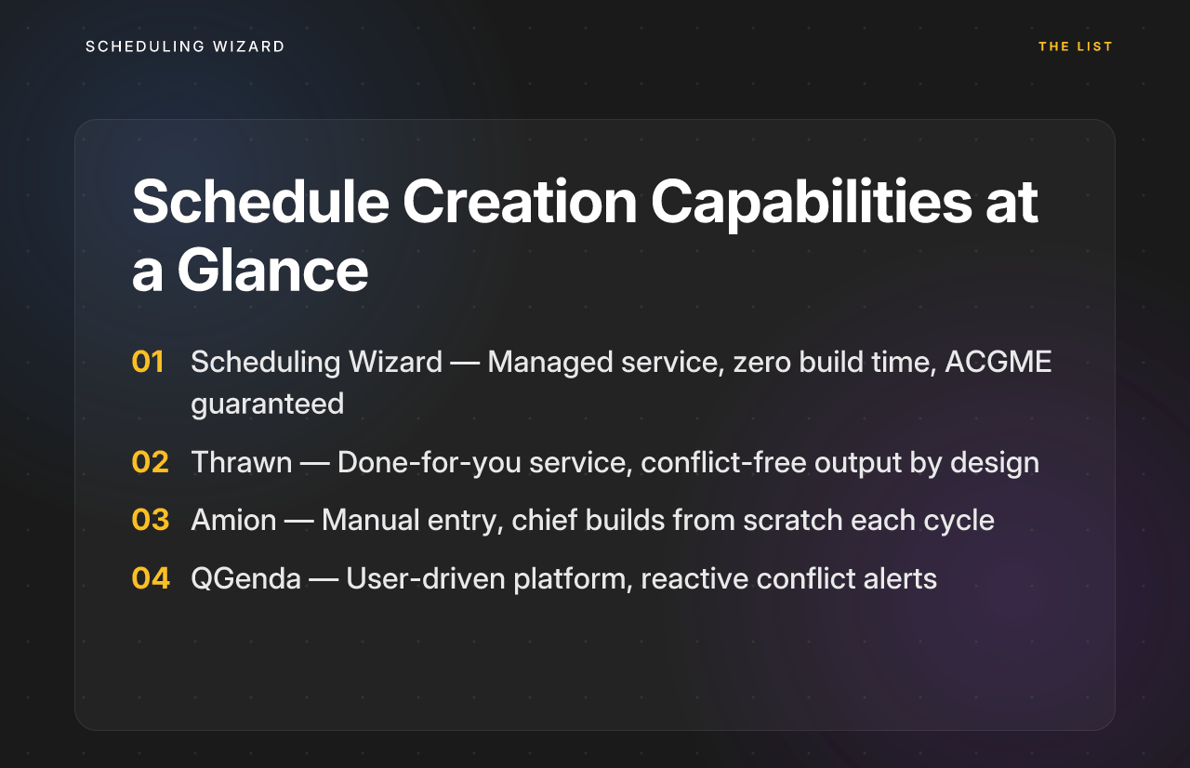
| Feature | Scheduling Wizard | Thrawn | Amion | QGenda |
|---|---|---|---|---|
| Schedule Creation Model | Managed service: submit constraints, receive a finished optimized schedule | Done-for-you service: programs provide rules, receive complete schedules | Manual entry: blank canvas built by the chief or coordinator | User-driven platform: powerful toolset for building schedules with rule-based alerts |
| ACGME Rule Handling | ✅ Mathematically guaranteed — subspecialty rules built into the engine | ✅ Built-in optimization ensures full compliance with ACGME and program-specific rules | ❌ None — user must know and check rules manually | ⚠️ Rule-based alerts for standard violations; limited for complex interdependent constraints |
| Manual Build time / Cycle | Minimal — work is front-loaded into constraint definition | Zero — the service handles the entire build process | Maximum — can take dozens of hours per block schedule cycle | High — significant upfront setup with moderate per-cycle effort |
| Chief Resident Learning Curve | None — no software to learn or operate | None — no platform to manage, just constraint submission | Moderate-High — requires fluency in scheduling logic and Excel | High — significant platform training required to leverage full capabilities |
| Error & Conflict Detection | Proactive — conflicts resolved mathematically before output is generated | Proactive — schedules are generated conflict-free by design | None — entirely manual, highly error-prone | Reactive — alerts surface conflicts after they've been entered |
| Institutional Continuity | ✅ Scheduling logic maintained by SW, persists across chief rotations | ✅ Knowledge is retained by the service, ensuring smooth chief transitions | ❌ Lost with each chief transition | ⚠️ Partially preserved in platform settings, but requires trained administrators |
The "Both/And" Solution: Create with an Engine, View on a Dashboard
Here's the practical punchline: you don't have to choose between these tools.
The workflow that eliminates the most pain looks like this:
- A managed service like Scheduling Wizard or Thrawn handles the upstream creation — generating a mathematically optimized, ACGME-compliant schedule based on your program's specific constraints, preferences, and rules.
- The finished schedule is delivered as an Excel file, formatted for direct upload into Amion or QGenda — whichever viewing platform your residents and call center already rely on.
- Your residents see their schedules exactly as before. Your chief spends weeks not buried in spreadsheets. Your GME office stops losing institutional knowledge every July.
This is precisely how programs use a managed service — not as a replacement for their viewing platform, but as the specialized creation layer that feeds into it. The two categories of tools do fundamentally different jobs, and using the right tool for each job is what makes the whole system work.
The real cost of the status quo isn't just the hours. It's the errors that slip through when a chief is building a 12-week call schedule manually at 11 PM. It's the duty hour violation that surfaces during an ACGME site visit. It's the third-year resident who notices — correctly — that they drew the short straw on holiday weekends again. These aren't small problems.
If you're evaluating call schedule software for your residency or fellowship program, the right question isn't just "what tool will our residents use to view their schedules?" It's "what tool will actually build the schedule — reliably, compliantly, and without consuming the chief's academic year?"
Stop Losing Weeks to the Schedule Build
Amion and QGenda are excellent at what they do. If your program already uses one of them, keep using it — your residents know it, your call center uses it, and it's solving a real problem.
But if you're still manually building the schedule that feeds into those platforms, you're carrying a burden that doesn't have to be yours anymore. Scheduling Wizard was built specifically to eliminate that burden — not to replace your viewing tool, but to make the schedule that flows into it.
Learn how Scheduling Wizard works →
Frequently Asked Questions
How does Scheduling Wizard ensure ACGME compliance for my specific specialty?
Scheduling Wizard ensures ACGME compliance by building your specialty's specific duty hour limits, at-home call rules, and other constraints directly into its mathematical optimization engine. Unlike software that simply flags violations after you've created them, our process prevents them from ever appearing in the final schedule. Our team works with you to codify all rules—from general requirements to nuanced subspecialty constraints (e.g., for surgery or anesthesiology)—before generating a guaranteed-compliant schedule. This includes readiness for the 2026 ACGME rule revisions.
Do I have to replace Amion or QGenda to use Scheduling Wizard?
No, you do not. Scheduling Wizard is designed to work alongside your existing viewing platform, not replace it. We handle the difficult and time-consuming creation of the schedule and deliver a finished, optimized, and compliant schedule as an Excel spreadsheet formatted for easy upload into Amion, QGenda, or your hospital's internal system. Your residents' viewing experience doesn't change, but your chief resident or coordinator gets weeks of their time back.
What does a "managed scheduling service" actually do?
A managed scheduling service takes on the entire task of building your schedule for you, from defining the rules to delivering the final, conflict-free output. Instead of you learning and operating a complex software platform, you provide us with your constraints: ACGME rules, rotation assignments, clinic duties, vacation requests, and fairness goals. Our team and proprietary engine handle the complex optimization problem and return a finished schedule. There's no software for you to learn or maintain.
How does optimized scheduling help with the 2026 ACGME rule changes?
Optimized scheduling helps programs adapt to the 2026 ACGME rule changes by mathematically finding compliant solutions that would be nearly impossible to discover manually. The new rules, such as counting at-home call toward the 80-hour weekly maximum and a 24-hour hard cap on continuous work, add significant complexity. A constraint optimization engine like Scheduling Wizard can process these new rules simultaneously with all your existing ones to generate a valid schedule, ensuring you remain compliant without overburdening your residents or your administrative staff.
What happens when our chief resident graduates?
With a managed service like Scheduling Wizard, your program's scheduling logic and rules are retained externally, ensuring perfect institutional continuity when your chief resident graduates. A common pain point for GME offices is the loss of scheduling knowledge each year. Because we maintain the codified rules for your program, the process doesn't break. The new chief can get started immediately without having to reinvent the wheel, saving dozens of hours and preventing errors that often occur during the transition.
Can Scheduling Wizard create schedules for private physician practices?
Yes, the same optimization engine used for complex residency programs can create fair, balanced, and rule-based schedules for private practices. While residency programs have ACGME rules, private practices have their own complex constraints related to partner-track fairness, call equity, sub-specialty requirements, and lifestyle preferences. We work with practice administrators to define these rules and deliver optimized schedules that reduce administrative burden and improve physician satisfaction.