Summary
- Optimized on-call scheduling can save up to 3,000 administrative hours per year and has been shown to increase residents' perceived schedule fairness from 43% to 95%.
- This article ranks scheduling tools by complexity tolerance, from simple roster displays to solutions for high-constraint GME programs, helping you find the right fit for your needs.
- GME scheduling is a complex optimization problem, not a simple calendar task, requiring solutions that can handle interdependent Block, Call, and Clinic schedules with strict ACGME compliance.
- For programs facing the annual "July Problem" of chief resident turnover, a managed service like Scheduling Wizard delivers finished, guaranteed-compliant schedules without requiring staff to learn new software.
If you're a chief resident, you already know the drill. Every year, someone inherits the "BIG Spreadsheet" — a sprawling Excel file that represents months of accumulated scheduling logic, workarounds, and institutional memory. And every year, that knowledge walks out the door at graduation.
Chief residents in online discussions are blunt about the state of scheduling tools: "Both suffer from horrible user interfaces. Difficult to read and just from the admin and end user side." And when purpose-built tools fall short? "Nothing was able to deliver quite like Excel."
There's also healthy skepticism about AI-powered solutions: "AI can do a shitty job easily, but it won't do a good job yet." That's a fair concern — and it applies to a lot of generic automation tools thrown at scheduling problems that are genuinely hard. Coordinating 80 residents across two hospitals, balancing vacation requests, elective rotations, graduation requirements, seniority constraints, and strict ACGME duty hour rules is a complex mathematical optimization problem, not a calendar management task.
This article is ranked differently from most on call schedule generator roundups. Instead of listing tools alphabetically or by popularity, we've ranked them by scheduling complexity tolerance — from tools that handle simple daily rosters all the way to solutions designed specifically for high-constraint GME programs. This gives you a clear self-selection framework: find where your team sits on the complexity spectrum, and find the right tool for the job.
You'll encounter two broad categories:
- Self-service software: You learn the platform, input the rules, and manage the process.
- Managed services: You submit your constraints and receive a finished schedule — no software to learn.
Why Getting Scheduling Right Actually Matters
Before diving in, it's worth grounding this in real numbers. The stakes of poor scheduling go well beyond administrative inconvenience.
According to industry research on on-call scheduling, optimized scheduling can save schedulers up to 3,000 hours per year and reduce the time to contact an on-call provider by 88%. In one healthcare system case study, provider contact time dropped from over 8 minutes to just 1 minute after deploying an integrated system.
And for residents specifically, a study published in Neurosurgery found that optimized scheduling increased the perceived fairness of call schedules from 43% to 95%. That's not a minor morale boost — it's the difference between a residency culture that feels equitable and one that breeds resentment.
At-a-Glance Comparison
| Tool | Complexity Tier | Model | ACGME Support | Export Options | Best For |
|---|---|---|---|---|---|
| Scheduling Wizard | 5 — Highest | Managed Service | Excellent (guaranteed) | Excel (Amion/QGenda-ready) | GME residency & fellowship programs |
| Thrawn | 5 — Highest | Managed Service | Excellent (guaranteed) | Excel | GME programs wanting a hands-off solution |
| Lightning Bolt | 4 — High | Self-Service | Good (rule-based) | PDF, Excel | Departments wanting automated suggestions |
| QGenda | 3 — High | Self-Service | Fair (flags violations) | PDF, API | Large systems with dedicated staff |
| TigerConnect | 2 — Low-Moderate | Self-Service | Fair | Mobile/web views | Teams in the TigerConnect ecosystem |
| UKG EZCall | 1 — Low | Self-Service | Limited | Standard views | Simple daily on-call display |
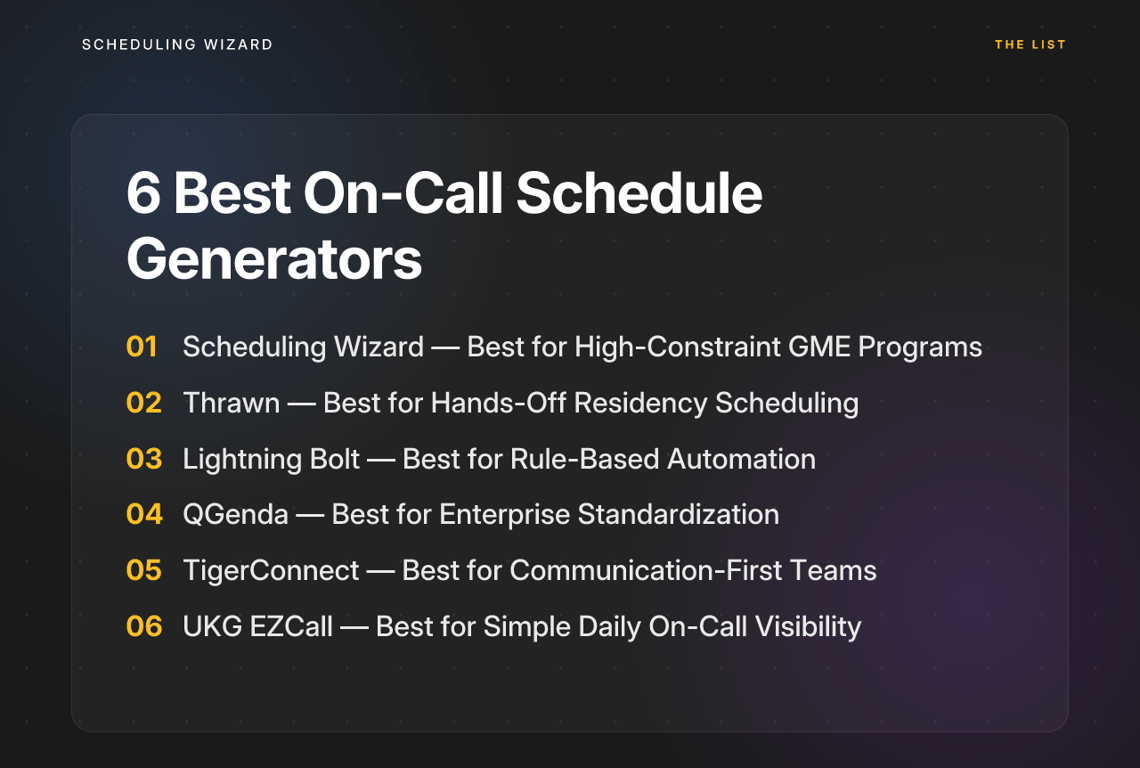
The 6 Best On-Call Schedule Generators, Ranked by Complexity
1. Scheduling Wizard — Best for High-Constraint GME Programs
Complexity Tier: Highest | Model: Managed Service | ACGME Support: Mathematically Guaranteed
Scheduling Wizard sits at the top of the complexity tier for one fundamental reason: it's not software you use — it's a service that delivers a finished product.
Programs submit their residents, rotations, and full constraint set — vacation requests, conference days, clinic requirements, seniority rules (e.g., "1 senior, 1 medium, and 2 novice members per call slot"), maximum hours, subspecialty-specific ACGME rules — and Scheduling Wizard's proprietary mathematical optimization engine returns a complete, conflict-free Block, Clinic, Call, and Attending schedule. No interface to learn. No rules to configure manually. No error-checking after the fact.
Why this matters for GME programs specifically:
ACGME compliance isn't a checkbox feature in residency scheduling — it's the foundation everything else is built on. Scheduling Wizard's engine treats compliance as a hard constraint from the start, not a flag raised after a violation is already baked into the schedule. Subspecialty-specific rules are built in, which matters enormously when general-purpose tools can't distinguish between an internal medicine and a surgery program's duty hour structure.
The output format is deliberate: clean Excel spreadsheets, ready to upload directly into viewing tools like Amion or QGenda that many programs already use for day-to-day access. This addresses the widely-shared frustration that "nothing was able to deliver quite like Excel" — because the output actually is Excel, just without the 10–15 hours of manual work required to build it.
The other major differentiator is institutional continuity. Every year when chief residents graduate, scheduling knowledge resets — what's known as the "July Problem." Scheduling Wizard retains a program's constraints, preferences, and rules across annual rotations. New chiefs don't start from zero.
Currently serving 18 departments across 13 hospitals, Scheduling Wizard is a YC-backed managed service founded specifically for the GME scheduling problem — not adapted from a general workforce scheduling tool.
Key differentiators:
- Done-for-you: no software to learn or operate
- Mathematically guaranteed ACGME compliance (not rule-flagging)
- Handles Block, Clinic, Call, and Attending schedules simultaneously
- Resolves cross-schedule dependencies automatically
- Institutional knowledge preserved year over year
- Output delivered as Excel, compatible with Amion and QGenda for display
2. Thrawn — Best for Hands-Off Residency Scheduling
Complexity Tier: Highest | Model: Managed Service | ACGME Support: Excellent (guaranteed)
Like Scheduling Wizard, Thrawn is a managed scheduling service, not a piece of software you operate yourself. It targets the same core problem of complex GME scheduling but with a focus on programs that want a completely hands-off experience. You provide your program's constraints, requests, and rules, and their team uses advanced optimization to build and deliver a finished, ACGME-compliant schedule covering block, call, and clinic assignments.
The "done-for-you" model makes Thrawn a strong alternative for program coordinators and chief residents who want to delegate the entire scheduling process. Instead of learning a platform or configuring rules, you get a direct line to scheduling experts who handle the build from start to finish.
Key strengths:
- Fully managed service — no software to learn or configure
- Uses mathematical optimization for ACGME-compliant schedules
- Handles complex, interdependent block, call, and clinic schedules
- A great option for programs looking for a completely delegated solution
Limitation: As a managed service, it doesn't offer the direct, hands-on control that some administrators might want from a self-service tool.
3. Lightning Bolt — Best for Rule-Based Automation with Manual Control
Complexity Tier: High | Model: Self-Service | ACGME Support: Good (rule-based)
Lightning Bolt is one of the more sophisticated self-service on call schedule generators on the market. It uses a rule-based automation engine to generate schedule suggestions based on preferences and constraints you define, making it a meaningful step up from pure manual scheduling.
The appeal is clear: you input your team's rules — coverage requirements, time-off preferences, fairness targets — and the system auto-generates a starting point. The platform also tracks scheduling tallies to keep call distribution equitable over time.
The tradeoff is the learning curve. To get value out of Lightning Bolt, someone on your team needs to become a capable user of the platform, correctly configure all constraints, and manually review the output for edge cases and conflicts. For a rotating chief resident inheriting a new program, that ramp-up time is a real cost. For GME programs with complex, interdependent rules — say, a schedule where Block, Call, and Clinic requirements all constrain each other — manual resolution of the engine's gaps becomes a recurring time sink.
That said, for departments with dedicated administrative staff who can own the system long-term, Lightning Bolt offers genuine automation benefits and good reporting.
Key strengths:
- Automated schedule generation from user-defined rules
- Provider preference integration
- Workload balancing and fairness tracking
- Solid for general physician scheduling and simpler residency programs
Limitation: Does not eliminate the operator burden — someone still has to learn, configure, and manage the platform, and resolve conflicts the engine surfaces.
4. QGenda — Best for Enterprise Standardization Across Large Systems
Complexity Tier: High | Model: Self-Service | ACGME Support: Fair (violation flagging)
QGenda is a well-known name in healthcare workforce management, and for large health systems looking to standardize scheduling across multiple departments, it's a logical choice. It extends beyond scheduling into credentialing, time tracking, and provider data management — making it a genuine enterprise platform rather than a point solution.
Its scheduling capabilities are powerful, but that power comes at a cost: a significant implementation investment, a steep learning curve, and the expectation that a full-time administrator manages the system. For chief residents cycling through one-year terms, QGenda's complexity is often more burden than benefit.
On ACGME compliance, QGenda can be configured to flag duty hour violations after a schedule is built — but it doesn't proactively generate a compliant schedule from scratch. The onus remains on the user to set up the rules correctly and resolve flagged issues manually.
Many GME programs actually use QGenda and tools like it alongside a service like Scheduling Wizard: Scheduling Wizard handles the complex schedule creation and optimization, and QGenda serves as the display and access layer for residents to view their daily assignments.
Key strengths:
- Enterprise-grade centralized scheduling hub
- Advanced analytics and reporting
- Integrates with credentialing and payroll systems
- Strong fit for health systems with dedicated scheduling administrators
Limitation: High setup burden, requires an experienced operator, and ACGME compliance is flagging-based rather than generation-based.
5. TigerConnect Physician Scheduling — Best for Communication-First Teams
Complexity Tier: Low to Moderate | Model: Self-Service | ACGME Support: Fair
TigerConnect's physician scheduling module is built into its broader clinical communication platform, which is its primary value proposition. If your hospital already uses TigerConnect for secure messaging, having scheduling live in the same environment reduces app-switching and keeps on-call information accessible alongside the communication tools clinicians already use daily.
The scheduling functionality includes some rule-based capabilities and a mobile-first design, making it accessible for departments that need a straightforward, integrated solution rather than a dedicated scheduling system.
For GME programs with complex constraint modeling, TigerConnect is underpowered. It's better suited for general physician groups, hospitalists, or urgent care teams where scheduling patterns are more predictable and rotations less intertwined.
Key strengths:
- HIPAA-compliant secure messaging integrated with scheduling
- Mobile-first, easy access for on-call providers
- Reduces app-switching for teams already in the TigerConnect ecosystem
Limitation: Not designed for the complexity of residency or fellowship scheduling; limited constraint depth.
6. UKG EZCall — Best for Simple Daily On-Call Visibility
Complexity Tier: Low | Model: Self-Service | ACGME Support: Limited
UKG EZCall (formerly part of the Kronos suite) focuses on one thing well: showing who is on call, right now, across your organization. It's a transparency and communication tool at its core — not a schedule-building engine.
For departments where the scheduling itself is relatively simple and repeating, and the main challenge is ensuring the right people can quickly find out who's on call without digging through binders or email chains, EZCall serves that purpose. It supports shift swaps, time-off requests, and real-time visibility from any device.
It does not attempt to solve the complex combinatorial problem of building an ACGME-compliant call schedule from scratch, and it's not designed to.
Key strengths:
- Clean real-time on-call visibility
- Simple shift swap and time-off management
- Works well as a display layer for pre-built schedules
Limitation: Not suitable for GME scheduling or any program with complex constraints; limited schedule generation capabilities.
How to Choose the Right On-Call Scheduling Tool
The "best" on call schedule generator depends entirely on your team's size, scheduling complexity, and how much administrative capacity you have to operate a tool long-term. Here's a simple framework:
If you run a small urgent care clinic or a single department with simple, repeating rotations: Your primary need is visibility and communication, not complex schedule generation. A self-service tool like UKG EZCall or TigerConnect is likely sufficient. Rotations are predictable, the team is small, and the administrative overhead is manageable.
If you're a large hospital department or health system with dedicated scheduling administrators: You need enterprise power and standardization across multiple service lines. A robust platform like QGenda or Lightning Bolt can work well — provided you have a full-time employee who can own the system, configure rules, and manage it consistently year over year.
If you're a residency program director, fellowship coordinator, or chief resident: Your situation is categorically different. You're dealing with strict ACGME duty hour requirements, subspecialty-specific rules, interdependent Block/Call/Clinic schedules, individual resident preferences, and the annual reset of scheduling knowledge when chiefs graduate. Self-service software places the optimization burden squarely on whoever happens to be chief that year — a role that's already demanding enough.
A managed service like Scheduling Wizard addresses the root problem: it removes the operator burden entirely, guarantees ACGME compliance mathematically, and preserves institutional knowledge across years. Your schedule gets built by expert schedulers and a purpose-built optimization engine, and lands in your inbox as a ready-to-use Excel file. The time your chief residents save — often 10–15 hours per schedule cycle — goes back to education and patient care, where it belongs.
The Bottom Line
The on-call scheduling landscape ranges from simple display tools to sophisticated self-service platforms to fully managed services — and they serve genuinely different needs. There's no single right answer, but there is a right answer for your program.
For small teams with predictable rotations, a lightweight self-service tool gets the job done. For large systems with dedicated staff, an enterprise platform like QGenda or Lightning Bolt offers the control and standardization worth the investment. But for medical residency and fellowship programs navigating ACGME compliance, complex multi-schedule dependencies, and the annual chief rotation — the most effective solution is one that removes the scheduling burden entirely.
That's exactly what Scheduling Wizard was built to do. It's the only option on this list that delivers a finished, optimized, guaranteed-compliant schedule without requiring your program staff to become software experts. If ACGME compliance is non-negotiable and your time is better spent on medicine than on spreadsheets, that's the tier you belong in.
Frequently Asked Questions
What is the best way to ensure a residency schedule is ACGME compliant?
The most reliable way to ensure ACGME compliance is to use a system that treats the rules as hard constraints during schedule generation, rather than just flagging violations after the fact. Many self-service software tools use a "flagging" system, which still requires a human operator to manually resolve complex duty hour conflicts. A managed service with a mathematical optimization engine, like Scheduling Wizard, builds the schedule with all Common and subspecialty-specific ACGME rules as non-negotiable constraints from the start, guaranteeing a compliant output.
Does Scheduling Wizard replace tools like Amion or QGenda?
No, Scheduling Wizard works alongside tools like Amion and QGenda; it does not replace them. Scheduling Wizard is a schedule generation service that solves the complex optimization problem of building a compliant and fair schedule. It delivers the final schedule as a clean Excel spreadsheet, which is then uploaded into platforms like Amion or QGenda. Those platforms then serve as the day-to-day viewing and communication tool for residents and faculty.
How will the 2026 ACGME rule changes affect residency scheduling?
The 2026 ACGME rule changes will significantly increase scheduling complexity by counting at-home call towards the 80-hour weekly maximum and enforcing a hard 24-hour cap on continuous work. These new constraints will make manual scheduling and simple software tools much more prone to errors. An optimization-based scheduling service can model these new rules mathematically to find compliant schedule solutions that would be extremely difficult to find by hand.
What's the difference between a managed scheduling service and scheduling software?
The key difference is who does the work. With scheduling software, you or your staff operate the tool, configure the rules, and resolve conflicts. With a managed service, you provide your constraints and an expert team delivers a finished, ready-to-use schedule. Self-service software requires a significant time investment to learn and operate, whereas a managed service like Scheduling Wizard eliminates this operator burden entirely.
Why is Excel still so common for residency scheduling?
Excel remains popular because of its flexibility and the failure of many rigid software platforms to handle the unique, complex, and ever-changing constraints of GME programs. While manual scheduling in Excel is incredibly time-consuming and error-prone, it offers total control. Managed services like Scheduling Wizard solve this by combining the power of mathematical optimization with the familiar, flexible output of a clean Excel spreadsheet.
How can our program maintain scheduling continuity when chief residents graduate?
Using a managed scheduling service is the most effective way to maintain continuity and preserve institutional knowledge. The "July Problem"—where scheduling logic is lost each year—is a direct result of relying on an individual's memory or a complex spreadsheet. A managed service like Scheduling Wizard documents and stores your program’s unique rules and preferences, ensuring that when a new chief resident takes over, they don't have to start from scratch.